.svg)
.svg)
.svg)
.svg)
.svg)
.svg)
.svg)
.svg)
.svg)


.svg)
.svg)
.svg)
.svg)
.svg)
.svg)
.svg)
.svg)

.svg)
.svg)
.svg)

.svg)

.svg)
.svg)
.svg)
.svg)
.svg)


.svg)
.svg)
.svg)
.svg)
.svg)
.svg)
.svg)




.svg)



%20(1).png)

Many nonprofits start out thinking that building an auction website will be the cheapest and easiest way to run an online auction. Then they discover what it actually takes to build one. For some, the effort is worth it. For others, there’s a better way.
In this guide, we’ll walk you step-by-step through what’s involved, the actual costs, the tech you’ll need, and the time commitment. From there, you can decide whether it’s the right path for your organization.
And if you’re looking for a smarter shortcut, we’ll show you how to launch your auction website for free using Givebutter’s auction software. It’s designed to give you impact without drowning you in setup or admin.
Let’s get started!
What does it take to build an auction website from scratch?
Before we walk through the step-by-step process, it’s important to understand what an auction website actually needs.
An auction platform has to list items clearly, manage bidder information, support real-time or silent bidding, and process payments securely. Each of these pieces may seem simple on its own, but together they form a complex system.
On the technical side, you’ll need:
- A reliable hosting environment
- Secure database
- User authentication
- Payment gateway that meets strict compliance and fraud-prevention standards
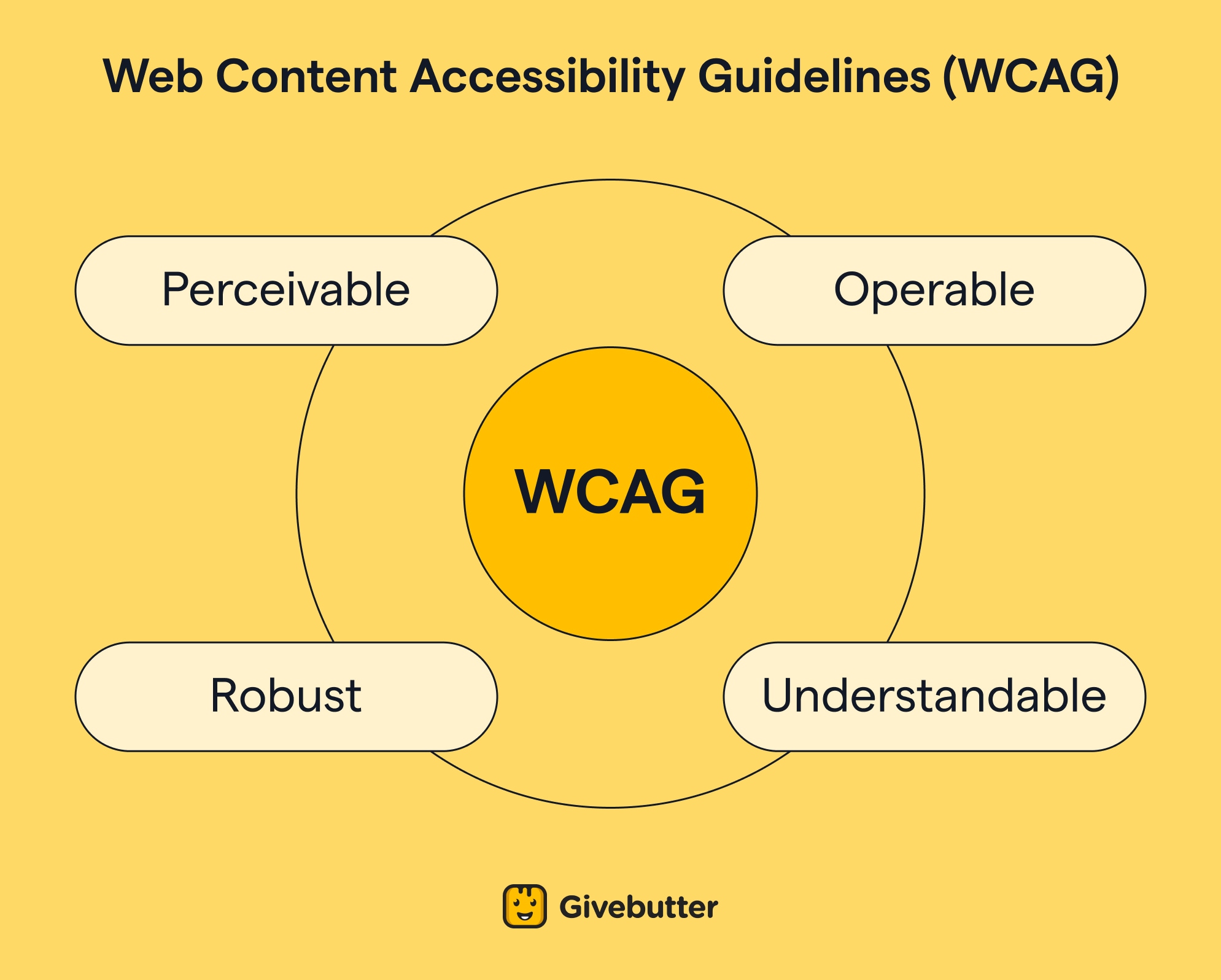
The site must also work on mobile devices, load quickly, and follow accessibility guidelines so every supporter can participate.
Then there’s the design and user-experience layer. That can involve creating an intuitive layout, item pages, bidding interfaces, navigation, search, and communication flows. Depending on complexity, this could require professional design skills and ongoing refinement based on how users interact with the site.
Finally, building an auction website requires ongoing maintenance. You’ll need to handle server updates, security patches, bug fixes, data backups, and support when something breaks during an auction.
Many nonprofits underestimate how much time and budget this continuous upkeep demands, especially compared to purpose-built auction software that handles these elements automatically.
Understanding all these moving parts upfront helps illustrate why building an auction website is rarely a small undertaking. With this context in mind, let’s walk through what it actually looks like to build one step by step.
How to build an auction website in 6 steps
Now that you know what goes into an auction website, here’s a look at how to build one from scratch for your nonprofit.
These six steps outline the core decisions, tools, and technical pieces involved in creating a fully functioning auction site.
(And if you’d prefer to skip the heavy lifting entirely, you can scroll ahead to see how Givebutter lets you launch an auction website for free without any coding or development.)
1. Assemble your web team & create your plan 📋
At the very least, you’ll need a website designer and someone to manage the project and test the website.
If you have a technical team member who can build or supervise the build, that’s ideal. They can provide guidance, check the work, and help maintain the site. If not, you’ll need to budget for ongoing maintenance as part of the project.
Custom websites often cost more than expected, so be extremely clear about your budget and what you expect if you’re using a web designer.
To define the scope properly, decide what features your auction website will need. For most nonprofits, this includes:
- A home page
- Auction listings with individual item pages (with images and descriptions)
- Bidding features such as real-time bidding, automatic bidding, and mobile bidding
- A secure checkout
- Integrations with analytics, data collection tools, and shipping providers, which will save you from exporting a lot of data manually
2. Choose a platform 🧑💻
Your hosting platform becomes the infrastructure that allows you to create, customize, and manage your site.
Your website developer should have an opinion on what works best, but most nonprofits choose between three common options:
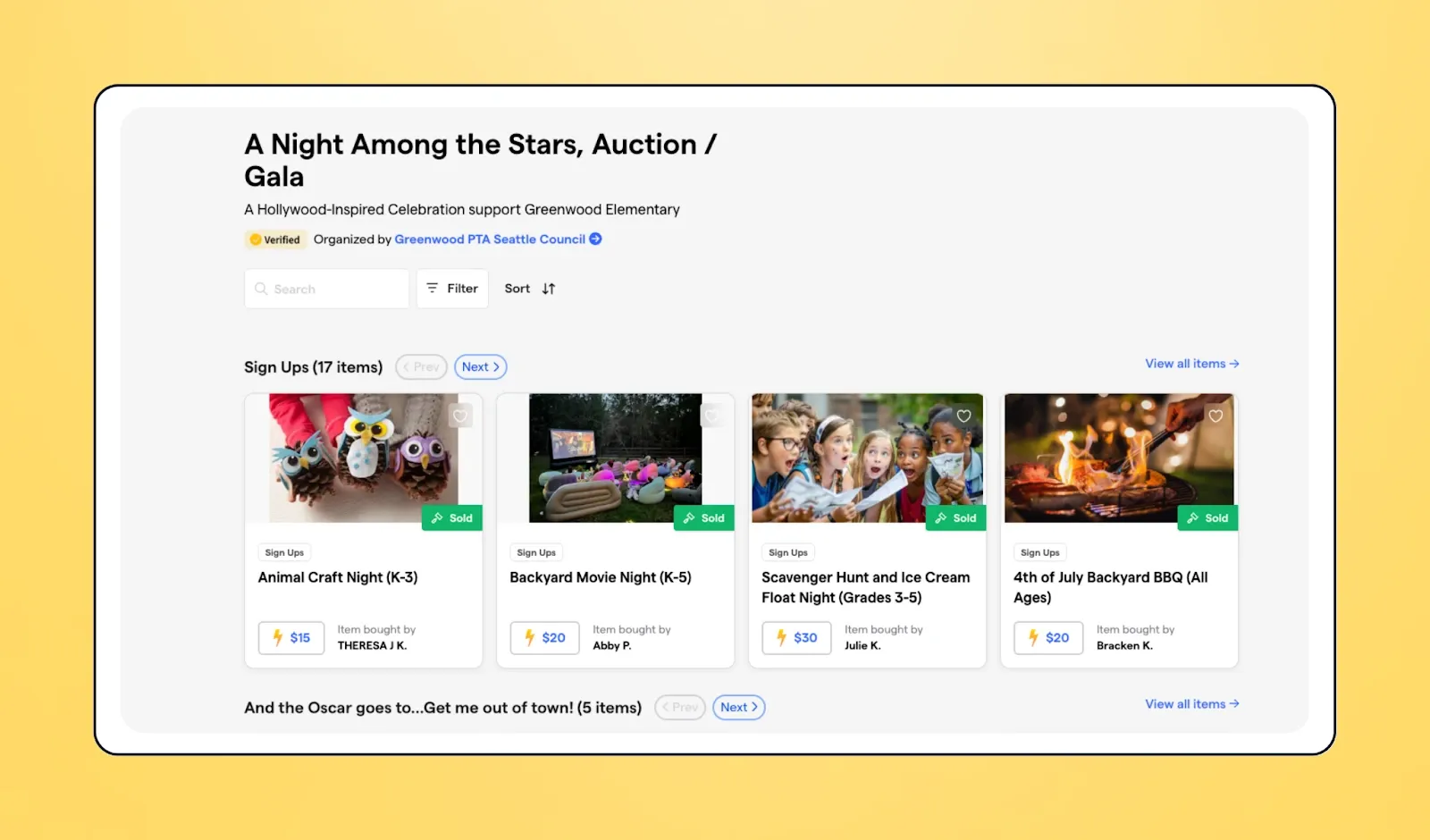
1. Auction software: Online auction sites like Givebutter provide a ready-made foundation for your auction site, complete with item listings, bidding tools, real-time notifications, and secure payments built in. Instead of stitching together custom features from scratch, you start with an interface designed specifically for fundraising. That means your team can focus on raising money, and you still get plenty of flexibility to tailor the experience to your organization’s needs.
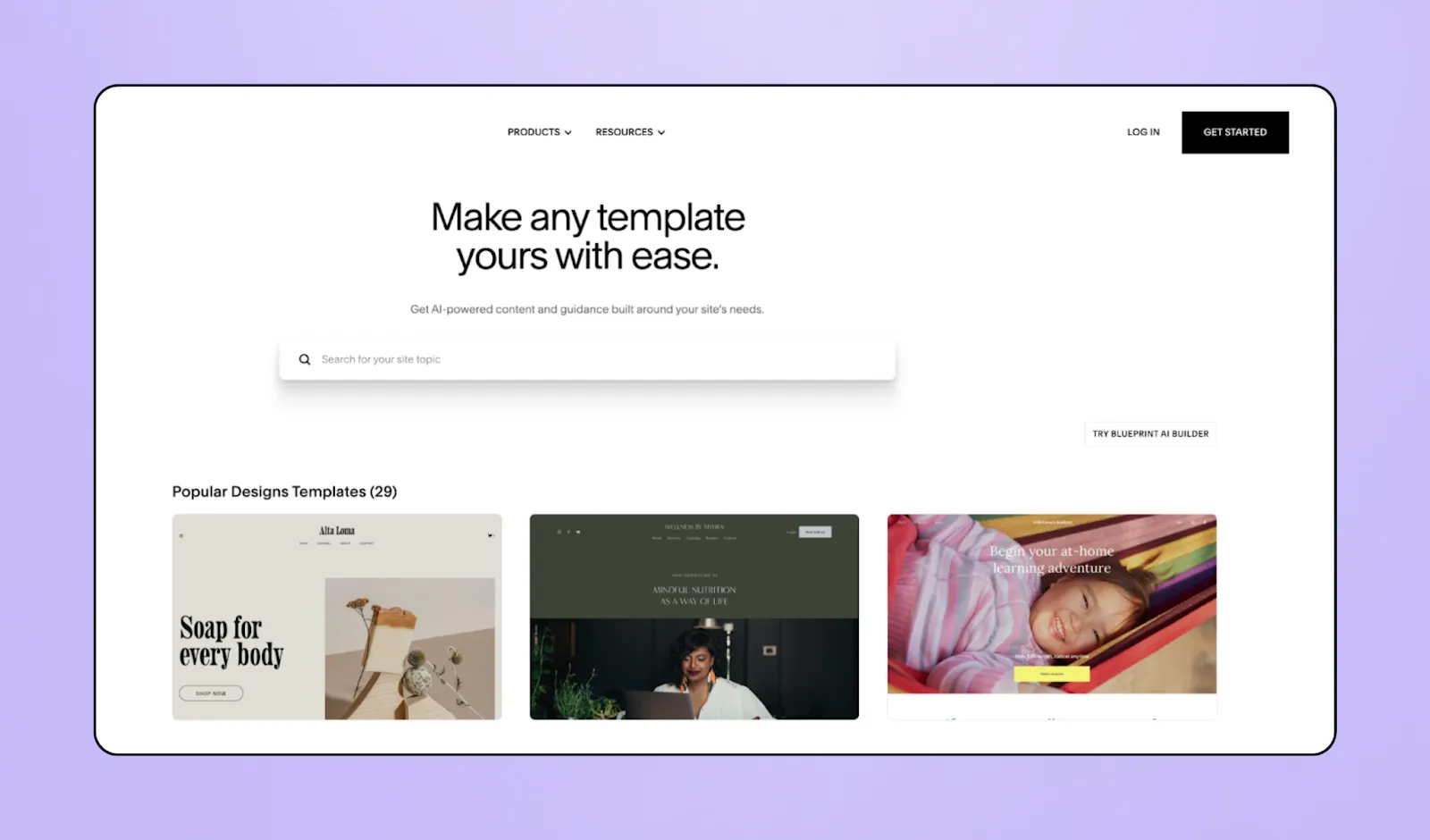
2. Website builders: These give you ready-made templates so you can get a website up and running quickly, though with more design limitations. If you go this route, make sure you can find an auction-friendly template that fits your needs.
You can create a templated auction website on platforms like Squarespace, Webflow, and similar tools
3. Custom website: A custom-coded website is built entirely from scratch by a developer. You get full control over design and functionality, but it takes longer, costs more, and requires ongoing maintenance.
Custom-coded sites are often hosted on content management systems such as WordPress, Drupal, or similar platforms.
Auction software is often the most budget-friendly option, sometimes even free, and avoids scope creep. It also doesn’t require any technical expertise, and your auction will run smoothly because the platform is backed by strong servers.
3. Pick a domain name 🪧
A domain is your website’s address, so you need to choose one that is easy to remember. For instance, “charityauction.com” or “charitynameauction.com”.
Avoid picking long domain names or ones with numbers or several hyphens as people may not type them in correctly.
You can buy your domain name from domain registrars, such as Namecheap, GoDaddy, or Hostinger (among others). Your web developer can then easily link the domain to your website.
4. Include secure payment processing 💳
One of the most important features of your auction website is secure payment processing. There are two primary reasons for this: first, you need to follow the rules for encrypting payment information (we explain this below). And second, people won’t donate if they don’t trust your website.
When buyers reach your checkout page, the experience needs to be clean, easy to use, adaptable across devices, and above all, secure.
All sensitive data must be fully encrypted, comply with Payment Card Industry Data Security Standards (PCI DSS), and include fraud-detection tools.
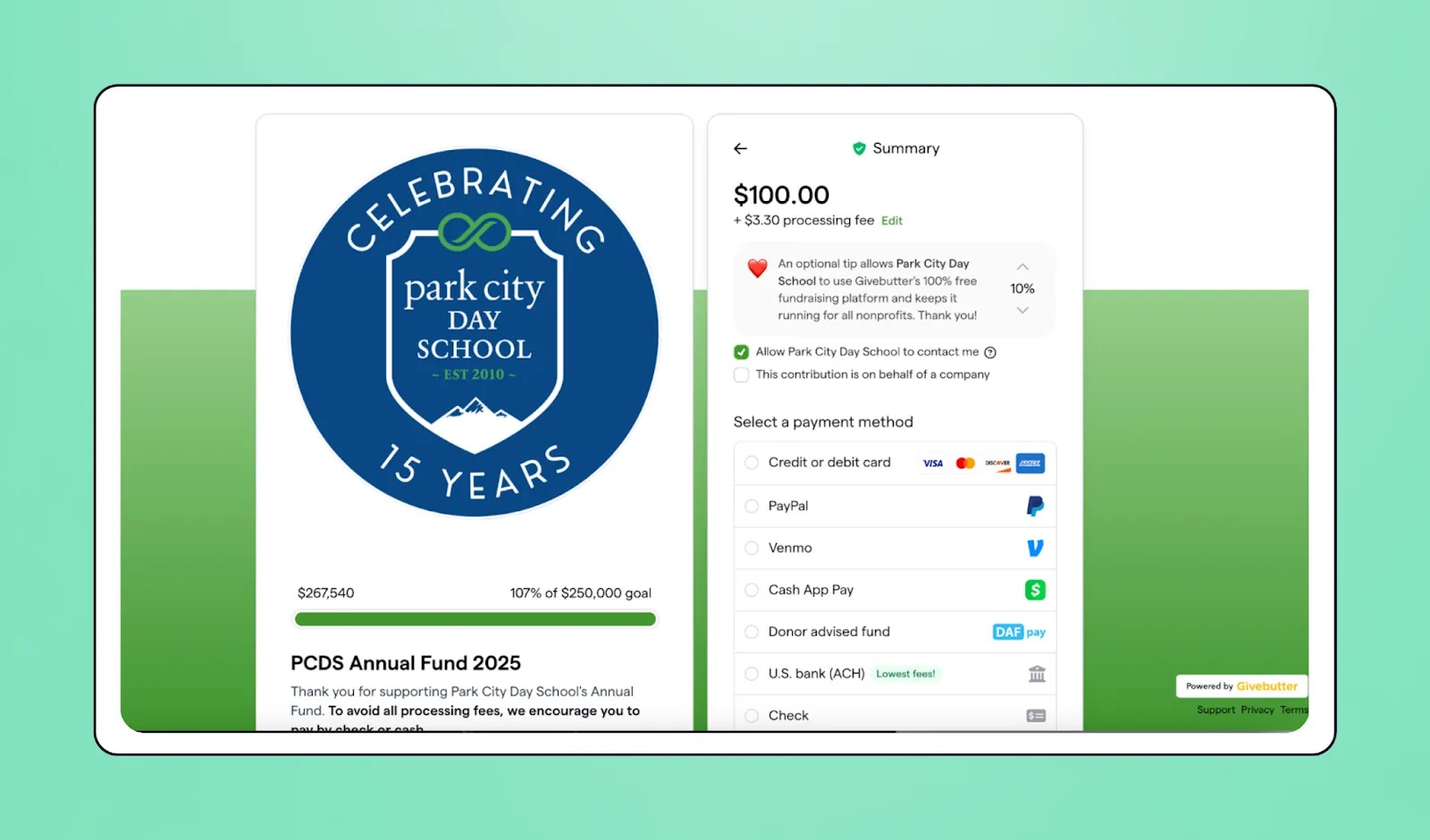
The simplest way to meet these requirements is to use a payment gateway such as Stripe or PayPal. After creating a merchant account, you can embed the gateway’s code directly into your website.
Once you’ve chosen the gateway that fits your needs, your website developer can add it quickly. Just be sure to review each provider’s fees carefully before making a decision.
💡 Want something easier? Givebutter offers a wide range of payment methods, so buyers can choose the option that works best for them. Plus, our platform is free, so you keep the full value of each item.
5. Build your auction features 🛠️
Great items will bring people to your auction, but the right features keep them bidding. As you build your site, focus on the capabilities that support fast decisions, clear communication, and easy participation.
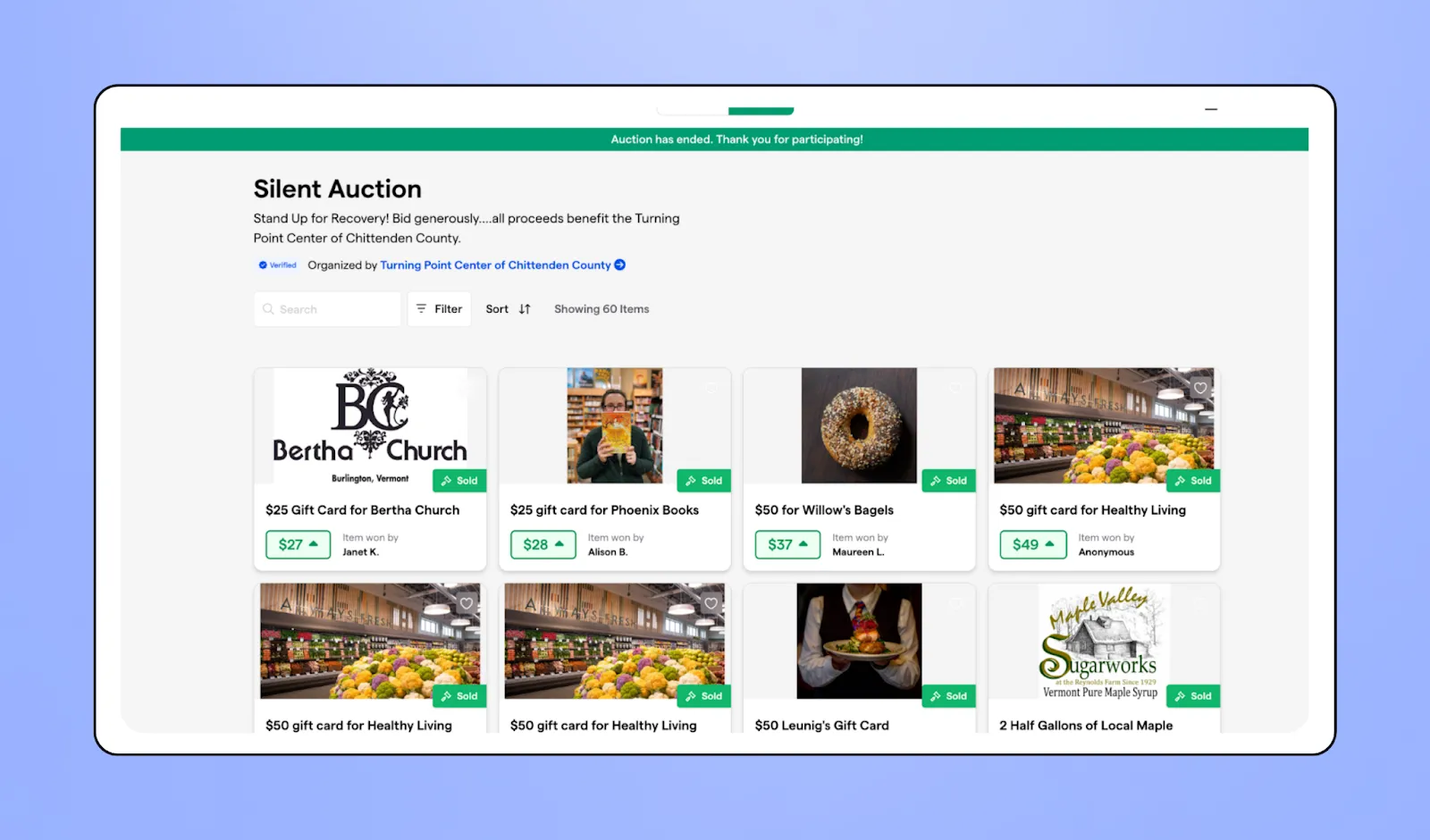
Your new online auction has to include:
- Access management: You need to be able to control who has access to your nonprofit’s auction. So your website has to be able to register users, that way you can track who is bidding and who won what.
- Auction listing: Each auction item must be listed with descriptions, photos, videos, pricing options, and fulfillment details. If you have a lot of different items, it’s good to separate them into categories.
- Bidding management: Your website has to register, track, and display bids accurately and in real-time so that both you and bidders can track bids seamlessly. It also needs to show the time left to bid so that people can participate before time runs out.
- Notifications: To make it easier and more interactive for bidders, they should receive real-time bids through a bidding app on their mobile or desktop.
Your website also needs to have certain technical requirements, including:
- Security: We’ve talked about the need for secure payment processing, but your whole website also needs to be secure. You can do that by installing an SSL certificate, which creates an encrypted connection. SSL certificates are free from Cloudflare or Let’s Encrypt.
- Server capacity: Your website’s server has a maximum capacity of information that it can handle at once. If you have a lot of people bidding at once, you risk your website not being able to handle it.
- Bandwidth: The bandwidth is how much data can be transferred at once. If your server is processing too much information at once, its bandwidth can slow down. This leads to your website freezing or lagging, creating a frustrating auction experience.
💡 Want something easier? Website and security features can seem overwhelming. If you want to save time, money, and stress, then Givebutter’s trust and safety team provides complete safety checks, fraud detection, and secure payment processing through a PCI-compliant payment processing partner, Stripe.
6. Ensure mobile & accessibility compliance 📱
Your website needs to work on desktop, mobile, and tablet. Before launching, test it on different devices to make sure it adapts correctly.
If it doesn’t, you risk losing bidders who can’t navigate your auction site on their phone. With over 33% of online donations happening on mobile devices, giving supporters an easy, low-barrier way to participate is essential.
As we touched on before, your site also needs to meet accessibility standards. This includes high-contrast colors for people with low vision, keyboard navigation for users who can’t use a mouse, and compatibility with screen readers.
To make your auction website truly accessible to everyone, accessibility needs to be built in from the start. You can test your site using tools like Lighthouse, WAVE Web Accessibility Evaluation Tool, or the WCAG Accessibility Audit Developer UI.
Is building an auction website the right choice?
Building an auction website from scratch is time and resource-intensive.
You need a good web developer who can build all the features mentioned above and maintain the site long-term. You’ll also need a team member who can run the project effectively, something many nonprofits struggle with due to small teams and competing priorities.
The cost of building a website varies widely, but a freelance web designer can charge between $1K and $10K.
Then, you have to consider the ongoing costs of hosting and maintaining your website, which can be $100 to $1K per year. And as mentioned earlier, scope creep is common, meaning unexpected costs that nonprofits may not be able to absorb.
For most organizations, there’s rarely a need to build a custom auction website.
Not when auction management software can securely and affordably handle the technical demands for you.
Givebutter is that auction management software. It provides everything nonprofits need to run an online auction without writing a single line of code or hiring a developer.

Reliable, free silent auction software
Now that you understand what goes into building an auction website, let’s walk through the easier path: creating your auction on Givebutter for free.
Why nonprofits and charities are better off choosing a platform like Givebutter
Building your own auction website can be extremely expensive, a time sinkhole, a compliance nightmare, and it’s difficult to get it to connect with your CRM, financial software, and email tool.
But when using an integrated nonprofit fundraising software like Givebutter, none of those problems exist.
With Givebutter, you don’t have to worry about developing your auction website. You can set up your auction page by simply adding your silent auction items and choosing the price model. It’s quick and easy.
.webp)
You also don’t need to think about maintenance, security, domain names, or hosting, as Givebutter takes care of all of it. And if you ever run into issues, our team provides 24/7 support.
We’re also committed to accessibility. Instead of spending time building and testing accessibility features, your auction page is designed to meet those needs out of the box.
Above all, Givebutter is built for nonprofits. You don’t have to adapt a for-profit auction tool or sink thousands into a custom build.
We designed Givebutter to bring together everything nonprofits need to fund their missions in one place. You get full auction features, plus a CRM, ticketing, donation forms, fundraising pages, a mobile app, and marketing tools like email and SMS that are all connected without spending a dime.
How is Givebutter free? 🆓
Givebutter is completely free to use, and there are no hidden fees. Instead, we offer the option for donor tips.
When you turn these on, nonprofits pay $0 in platform or processing fees. Donors are given the opportunity to cover transaction fees charged by our secure payment processors, and any processing fees donors don’t cover are fully backed by the Givebutter Guarantee, so your nonprofit still receives the full donation amount.
If you choose not to turn them on, a flat 3% platform fee applies across all campaign types, plus standard processing fees (2.9% + 30¢ for cards, 1.9% + 30¢ for ACH).
.webp)
Givebutter’s auction features 🗂️
Whether your auction is in-person and live, silent, or completely online, Givebutter has features to help you organize and run it.
▶️ Live auctions:
For live auctions, Givebutter allows organizers to sell tickets either before the event or at the door, making it easy to welcome guests and capture last-minute sales. During the auction, you can also livestream it so participants or stakeholders can join even if they can’t attend in person. After the event, you can use Givebutter’s direct mail or nonprofit email software to follow up with donors and bidders.
🤫 Silent auctions:
In a silent auction, you can place QR codes next to each item so bidders can place their offers directly on your Givebutter page from their phones. You can track bids easily from the Givebutter app or web dashboard, and if you're busy managing the event, you can quickly check bids, donations, and ticket sales on your phone.
If your auction is hosted on Givebutter, you can add the built-in online raffle platform to sell raffle tickets, manage participants, and draw winners from the same campaign dashboard.
To make the auction more engaging, you can project a live display of bids and campaign progress so everyone can follow along. Customize the screen to keep it exciting and personal.
💻 Virtual auctions:
If your auction is all online, your Givebutter auction website becomes the star of the show!
To start bidding, donors create an account in less than a minute, helping reduce fraud and simplifying fulfillment. From there, they can browse, favorite, and track the items that interest them.
Bidders receive automatic notifications when bidding opens, when they’re outbid, and when the auction is closing, so they can participate without staying glued to their screens.
.webp)
On your side, you can add items, categorize them, manage the auction, and track bids and winners all in one place.
We had a fantastic experience using Givebutter for our Night at the Theatre event and auction! The platform was incredibly user-friendly for both our team and our guests, making it easy to promote the event, manage ticket sales, and host the online auction seamlessly. — Matt M., Director of Development & Givebutter user
How to create an auction website using Givebutter (for free!)
With Givebutter, running auctions becomes smooth as butter. We handle all the background work of setting up your free auction website, so you can focus on making an impact.
Let’s walk through how you can set your auction website up using Givebutter.
Step 1. Create your Givebutter account & customize your auction ⚙️
To get started, create your free Givebutter account. Auctions aren’t a standalone campaign type. Instead, you add an auction to any fundraising page or event during setup.
.webp)
From there, you can begin to set up your brand-new auction webpage. Start by customizing the page to reflect your nonprofit’s branding and messaging.
For inspiration, you can see examples from real nonprofits, including HendoWEen, 18 Holes for Elephants, and Unity Farm Sanctuary’s photo show auction
Then, you can adjust your items:
- Group them into different categories,
- Add photos, descriptions,
- Include the fulfillment details, starting bid values, and different selling formats,
- Adjust the bidding rules and timelines, including start and end times and bid increments.
.webp)
Step 2: Launch & promote your auction 🚀
Once your page is ready, it’s time to promote your auction before it goes live.
You can use Givebutter’s marketing tools, such as email and direct mail, to promote your auction and build anticipation. For even more reach, Givebutter Plus texting lets you send timely reminders so supporters don’t miss the start.
.webp)
Donors and bidders can register easily without creating separate accounts or using third-party logins, which removes friction and speeds up participation.
As the auction begins, make sure automated notifications are turned on. These alerts tell bidders when they’ve been outbid, share key updates, and show how much time is left, helping keep them engaged throughout the event.
You can also enable automatic charges for winning bidders, so payments are collected immediately and you don’t have to chase anyone afterward.
Step 3: Track bids & engage your supporters 📊
During the auction, Givebutter’s dashboard and mobile app let you monitor activity in real time. You can see bids as they come in and use the live display to show progress, highlight top bidders, and keep the room energized.
For online auctions, bidders can place offers from any device and receive instant updates when they’re outbid or when they win, keeping engagement high without requiring you to manage every interaction manually.
.webp)
Step 4: Wrap up & celebrate your success 🎉
After the auction is over, you can email donors and bidders to thank them for participating. Donation receipts will get sent automatically through Givebutter.
.webp)
From there, you can continue personalized outreach using the information already stored in your Givebutter CRM to encourage ongoing engagement and future donations.
You can also review the results of your auction with Givebutter’s built-in analytics and reporting tools, making it easy to show your board the impact of the event.
And you won’t need to export data manually for accounting or financial software. Givebutter offers over 1,000 native and third-party integrations, so your information flows wherever you need it.
But before you launch your new auction page, there are some legal requirements that you need to follow.
Ready to launch your auction the easy way?
Instead of sinking precious time, budget, and staff capacity into building a custom auction website, you can create one for free on Givebutter in minutes.
Givebutter is built specifically for nonprofits, so you stay compliant, avoid unexpected development costs, and save countless hours of work. Your auction page comes with secure payments, intuitive bidding, and everything you need to run a successful fundraiser from day one.
You also get a connected CRM, marketing tools, and more than 1,000 integrations all in one place and all for free.
For nonprofits that want to increase their impact without increasing their workload, Givebutter makes running an auction simple, seamless, and stress-free.
Start your free auction website today.
Building an auction website FAQs
How much does it cost to build an auction website?
The price of a custom auction website can range from $1K to $10K. Using Givebutter, your personalized auction website is free to build and run!
Can I build an auction website for free?
Yes, using Givebutter, you can set up your auction website for free. Givebutter is powered by optional donor tips, so you can manage your auction free of charge.
How can I prevent fraud on my auction website?
A secure payment gateway will help you detect fraud on your auction website. With multiple layers of security, such as SSL encryption and multi-factor authentication, you protect yourself from fraud.
How do I choose a payment gateway for my auction site?
Choose a payment gateway that’s secure, easy for donors to use, and supports the payment methods your audience expects (credit/debit cards, ACH, digital wallets).
Platforms like Givebutter handle this for you by offering built-in payment processing powered by trusted providers like Stripe, so you don’t need to set up or manage a separate gateway. Standalone options like Stripe, PayPal, or Square can also work, but require additional configuration and integrations.
What are the steps to create an online auction platform?
The steps to creating an online auction website are to plan the essential features, design the website, integrate secure payments, set up bidding, test its functionalities, and then launch the website. Using an online auction platform like Givebutter, you only have to worry about adding items and customizing the page. Our built-in auction tools handle the rest for you.
What are the essential features of an auction website?
The essential features of an auction website are item listing, user management, bidding capabilities, secure payment processing, and live bidding tracking and notifications.
Auction website builder vs. custom development: which is better?
It’s more efficient to use an auction website builder, such as Givebutter. Auction software will save you time setting up your auction, save you on high development and maintenance fees, and have built-in security and compliance features.
What are the best auction website software platforms?
The best auction website software for nonprofits is Givebutter. It enables you to manage your whole auction, from setting up items, tracking bids, and item fulfillment. It is also completely free.
Share this article






.svg)
.svg)