











It’s the week before your next board meeting, and you’re spending hours assembling your nonprofit board report from multiple spreadsheets, donation platforms, and event logs yet again. You know the report is essential to keeping your board members engaged and invested in your mission, but the process is exhausting, and you’re not sure what to include or leave out.
Fortunately, the right framework can make board reporting faster and more effective. In this guide, we’ll share the steps to building your board report, what every board report should include, board report examples, and a downloadable template any nonprofit can use to streamline the process. We’ll also share how Givebutter Plus makes it easy to assemble the data you need with pre-built reports.
Key takeaways
- Start with raw data 💻 Build the foundation of your board report with data like program costs, campaign totals, and total donor numbers.
- Include a financial update 💰 Add key financial metrics like total revenue for the period, total expenses, and budget vs. actual for your fundraisers.
- Add an ED update 👩💼 Write a short ED update covering what’s working well, challenges and needs, and your nonprofit’s priorities for the future.
- Highlight success ⭐ Share two or three wins with metrics and a short description of what it means for your mission.
- End with board asks 🙏 Close out with any board asks, like introductions or event promotion.
- Keep it short ⏳ If your board report takes more than 10 minutes to read, cut it.
- Make it easier with the right tools 🧈 Givebutter keeps all your campaign and donor data in one place, and Givebutter Plus turns that data into board-ready reports.
What is a nonprofit board report?
A nonprofit board report (also called a board of directors report) is a written update from a nonprofit’s executive director to the board.
More than just an informational resource, a board report builds trust, promotes accountability, and keeps your leadership team aligned. Clear, well-written reports help board members make informed decisions and understand where their support is needed.

How to write a nonprofit board report
With the right system, a board report doesn’t have to take hours. These seven steps make it easy to write an actionable, informative board report for every meeting.
1. Pull your data 🔢
Start with your fundraising and financial data. It’s the backbone of your board report, so pull it before you write your updates or asks.
Givebutter reporting pulls from the fundraising and donor data in your account, so you can explore results without rebuilding them in a spreadsheet.
2. Share financial & fundraising snapshots 📸
Break down your data to create a financial and fundraising snapshot that any stakeholder can understand at a glance.
Include these key metrics in your board report:
- Total raised since last reporting period
- Total number of donors
- Number of new donors
- Average gift size
- Revenue vs. expenses
- Total individual donations
- Total grant and foundation funding
- Total event revenue
💡 Pro tip: Givebutter Plus includes ready-made reports for revenue, donor trends, campaign performance, and engagement. Use them to find the numbers and trends your board needs.
3. Add your ED update 📝
Once you're clear on your numbers, write a short one- to two-page ED update. Lead with what matters most for your nonprofit that month, whether it’s your best fundraising campaign, new donor growth, or changes in donor retention rates.
Your ED update should focus on what board members need to know this reporting period to make decisions for the next reporting period. Keep it concise and informative by focusing on outcomes, such as donor retention, total funds raised, or growth trends, rather than activities.
💡 Pro tip: Break down your ED update into three sections: what’s working well, challenges and needs, and key priorities and decisions for the next reporting period.
4. Add program highlights 🌟
Rather than a full breakdown of your programming, share two to three program wins to remind your board why your work is so important and show how your nonprofit has advanced its mission this reporting period.
“Show, don’t tell” helps build stakeholder investment. Include pictures, short success stories, and meaningful statistics to demonstrate your program’s recent impact and how it fits into your wider mission.
🎬 See it in action: “Our youth volunteer and education program onboarded 15 more volunteers. We planted 20 new trees and removed 300 pounds of trash from local neighborhoods, and every volunteer left with a three-step community cleanup action plan, moving us one step closer to our long-term goal of empowering the next generation of environmental advocates.”

5. Add governance items & board asks 📆
Close your report by highlighting any upcoming votes, elections, or new policies that board members should know about before your next meeting.
Share specific board member asks, such as event promotion, fundraising, or making introductions to potential donors. Don’t be afraid to be direct—your board members are there to help you, and keeping requests clear and action-oriented makes it easier for them to follow through on your asks.
6. Edit & review 👀
Now it’s time for a final review. Make sure you’ve included everything relevant without cluttering the report.
If it takes longer than 10 minutes to read, cut it down.
💡 Pro tip: Use the same board report format every month. As your board becomes familiar with the format, they’ll find it easier to locate the details they need. The free executive director report to board template below is built to reuse every cycle.
7. Set your cadence & send your report 💌
Send your report to board members 48 to 72 hours before your meeting so everyone has time to review it and note any questions or feedback.
Often, nonprofits send financial updates monthly and full reports quarterly. This way, board members can stay informed and provide strong support without feeling overwhelmed by asks or meetings.
💡 Pro tip: With Givebutter Plus, ready-made reports pull in your fundraising and donor numbers automatically, giving you a quick, clear starting point for the fundraising section of each board update.
Download your free nonprofit board report template
If you’re ready to start building your nonprofit board report, Givebutter has you covered.
Download the template below, use the board report samples as a starting point, and customize the fields with your nonprofit’s campaign, donor, and revenue data.

Streamline your nonprofit board report with Givebutter
You don’t have to spend hours every month or quarter creating a board report that’s accurate, informative, and useful to your board members and leadership team. The right data, a consistent format, and clear priorities help you create a report your board will actually read and refer back to.
Givebutter Plus reporting uses the fundraising and donor data already in your account, so you can review key results without rebuilding them in a spreadsheet. If some of your data isn’t in Givebutter, you can import donor and campaign data first.
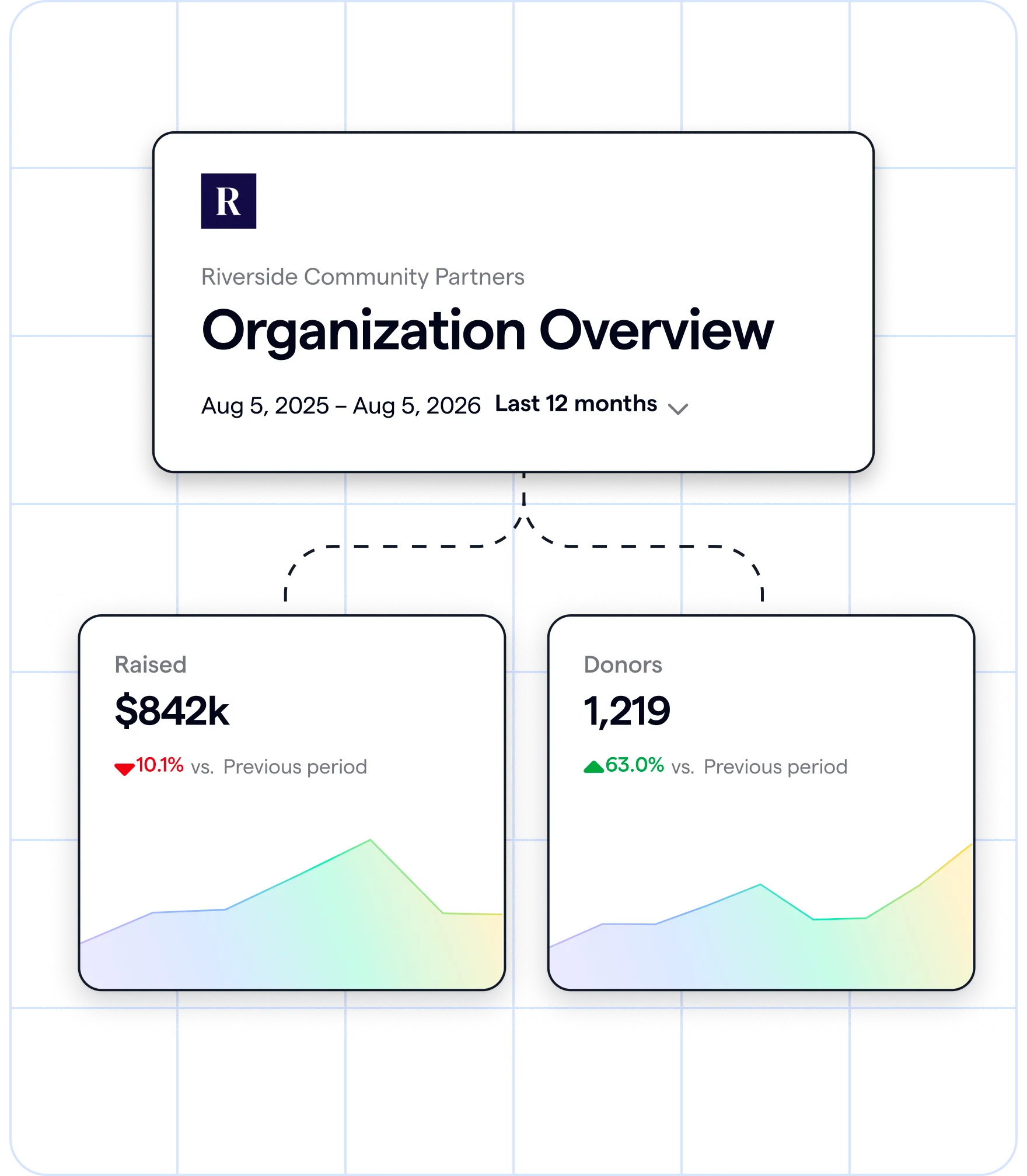
Build a report in less time with Givebutter Plus
Sign up for your free Givebutter account, and do more with your data using Givebutter Plus.
FAQs about nonprofit board reports
How often should a nonprofit board report be sent?
If you’re a small or midsize nonprofit, send out a financial update monthly and your full board report once a quarter. This keeps your board well-informed without requiring a significant time commitment from board members or placing too much pressure on your leadership team.
What is the difference between a board report and a board meeting agenda?
A board report is information sent to the board before meetings. It includes nonprofit data like budget vs. actual expenses, donor count, and top-performing campaigns, along with an executive director update, program highlights, and any upcoming tasks for board members to complete.
A board meeting agenda is a document that shares how your board meeting will be structured. It includes action items like reviewing board reports, voting, and confirming next steps. Usually, nonprofits use both a board meeting agenda and a board report when holding board meetings.
How long should a nonprofit board report be?
A board report should take less than 10 minutes to read. Board time is limited, and this helps keep things concise and efficient.
Share this article