










At Givebutter, we believe nonprofits should use every tool available to make a bigger impact, including AI. But greater efficiency shouldn’t come at the expense of donor privacy, sensitive information, or the trust your organization has worked hard to build.
A nonprofit AI policy helps you strike that balance. It sets rules for protecting sensitive data, keeping humans in control of AI-generated content and decisions, and using AI responsibly across your organization.
Below, you’ll learn what a nonprofit AI policy is and what to include in yours, plus real-world examples and a free template you can adapt.
Key takeaways
- Start with what’s already happening. A short anonymous survey shows which tools staff use and what they share, so you can tackle the biggest risks first.
- Set rules for the data, not just the tool. The same AI tool can handle data differently on a personal account than on an organization-managed one. Define what can go where instead of banning everything.
- Include the AI you didn’t go looking for. AI features in your CRM, email, and design tools need rules too, and so does any connection between your data and an external AI tool.
- Make a person responsible for every output. AI can draft and suggest, but someone on your team should check the facts and approve the final version.
- Don’t start from a blank page. Use our free AI policy template as your first draft, then adapt it to your mission, your data, and the people you serve.
What is an AI policy for nonprofits?
An AI policy for nonprofits is a set of rules that guides staff, volunteers, and other authorized users in using artificial intelligence safely, ethically, and responsibly.
Sometimes called AI usage guidelines, an acceptable use policy, or a responsible AI use policy, it should cover both standalone AI tools like ChatGPT and AI features embedded in everyday software, including CRMs, email platforms, and design tools.
Why your nonprofit needs a unified AI policy
Some of the biggest AI risks nonprofits face come from everyday decisions made with good intentions. For instance, a staff member might use Claude to summarize a sensitive meeting, while someone on the fundraising team uses AI features inside your nonprofit CRM to personalize donor appeals.
Both are trying to save time, but without shared guidelines, they may not know what information is safe to share, which tools to trust, or when human review is necessary.
An organization-wide AI policy establishes these rules for everyone. Here’s why having one is important:
- Staff may already be using AI without guidance. Someone could paste donor records into a personal chatbot account or share confidential meeting notes with an unapproved tool. An AI policy sets boundaries before these habits become routine.
- Donors and funders expect transparency. Supporters trust you with their personal information, giving histories, and financial details. Your policy helps staff understand how that data can be used with AI, when consent is required, and when to disclose AI use.
- Ethical risks depend on your mission. For example, an environmental nonprofit may need to protect sensitive wildlife locations and consider AI’s environmental impact, while a nonprofit serving vulnerable communities may be more concerned about bias, privacy, and consent. Your policy reflects the people and causes you serve.
- Legal requirements are evolving. As governments introduce new AI regulations and data protection requirements, your nonprofit needs to keep up. A policy establishes how you’ll review these changes and adjust your practices to meet applicable laws.
- AI-generated mistakes can damage trust. Imagine submitting a grant proposal with fabricated statistics or sending donors inaccurate campaign information. Requiring fact-checking and human approval can help catch these errors before they reach supporters or influence important decisions.
- Guidelines give staff confidence. When employees know which tools they can use, what tasks are allowed, and whom to ask for help, they can explore AI without having to guess where the boundaries are.
With everyone following the same standards, your nonprofit can use AI more effectively while protecting the people, information, and mission you’re responsible for.

What to include in a nonprofit AI policy: 9 sections that cover the basics
Your AI policy should answer the questions staff are most likely to have, e.g., Which tools can I use? What information can I share? When do I need approval?
Below are nine sections to include, along with sample policy language you can adapt to your nonprofit’s needs.
1. Purpose & scope 🎯
Start by explaining why your nonprofit has an AI policy and who must follow it. The policy should apply to employees, volunteers, board members, interns, and contractors using AI for organization-related work.
Define AI broadly enough to cover standalone chatbots, AI features within existing software, and tools connected to organizational data.
✍️ Sample policy clause:
“[Organization] encourages responsible AI use to support our mission. This policy applies to all employees, volunteers, board members, and contractors using AI for organizational work, regardless of whether they use standalone tools or AI features within existing software.”
2. Guiding principles for responsible AI use ⚖️
Before setting specific rules, establish the values that should guide every AI-related decision.
The Fundraising.AI framework is a useful starting point, with principles covering privacy, data ethics, inclusiveness, accountability, transparency, and sustainability. Givebutter’s own AI principles are designed to align with this framework.
Choose the principles most relevant to your nonprofit, then explain how they apply to your mission and fundraising activities. For example, respecting donor consent and avoiding biased fundraising decisions could be two core commitments.
✍️ Sample policy clause:
“[Organization] will use AI in ways that respect privacy, protect donor trust, promote fairness, and support our mission. AI-assisted work must follow these principles, with human oversight for decisions that affect people.
[Insert a list of your organization’s guiding principles here.]”
3. Approved AI tools & accounts 🛠️
Not every AI account offers the same privacy protections.
For example, ChatGPT Business and Claude for Work don’t use customer inputs and outputs to train their models by default. However, ChatGPT’s personal accounts have model training enabled by default unless users opt out, while Claude’s consumer accounts may use conversations for training when users enable model improvement.
Organization-managed accounts also offer administrative controls that personal accounts may lack, making them more suitable for handling organizational information.
Your policy should list approved platforms, permitted account types, and who can authorize new tools.
✍️ Sample policy clause:
“Staff may use AI tools approved by [Policy owner] through organization-managed accounts where required. Personal or free accounts may only be used for permitted, nonsensitive tasks. New tools require approval before use.”
4. What data can go into AI tools 🔐
This is arguably the most important part of your policy. Staff need to know what information they can share with AI and which tools are authorized to handle it.
Rather than banning donor data from every AI application, establish rules based on data sensitivity, approved tools, and how those tools process information. Strong nonprofit database management makes this easier, because you’ll already know what information you hold and who can access it.
Here’s a sample classification system:
The Nonprofit Alliance also advises nonprofits to protect confidential information from exposure through free or unapproved AI tools.
✍️ Sample policy clause:
“[Organization] permits AI use with public and approved internal information. However, confidential donor data may only be processed through specifically authorized tools and workflows. Staff must never enter restricted information into general-purpose AI tools without written authorization.”
5. Acceptable uses & prohibited activities ✅
Your policy should tell staff what they can use AI for, as well as situations where AI should be avoided entirely.
For everyday work, acceptable uses might include brainstorming campaign ideas, drafting social media posts, summarizing public research, and preparing first drafts of fundraising emails. Here are some ready-to-use nonprofit AI prompts that staff can adapt.
For higher-risk activities, consider prohibiting AI from:
- Making final decisions about beneficiary eligibility, hiring, or funding.
- Handling sensitive crisis or trauma communications without appropriate human involvement.
- Inventing donor testimonials, beneficiary stories, financial figures, or research findings.
- Impersonating real people or generating misleading content.
Your restrictions should reflect the people your organization serves.
✍️ Sample policy clause:
“Staff may use approved AI tools for research, brainstorming, drafting, and administrative support. AI must not independently make decisions affecting beneficiaries, donors, or employees, or generate misleading content presented as fact.”
6. Human review & accountability 👤
Who is responsible when AI generates an incorrect fundraising statistic or an offensive donor message?
Your policy should establish that a designated person owns every AI-assisted output. Staff must verify facts, check for bias, protect confidentiality, and approve content before publishing or distributing it.
The Nonprofit Alliance also recommends meaningful human authorship, especially for creative work where U.S. copyright protection depends on human contributions.
✍️ Sample policy clause:
“All AI-generated work must be reviewed and approved by a responsible team member before use. Reviewers must verify accuracy, assess potential bias, and ensure the final work reflects [Organization]’s voice, values, and standards.”
7. Transparency with donors & funders 📢
Donors should understand how their information is being used, especially when AI analyzes their giving history or shapes the messages they receive. Being open about AI is part of strong donor relations, and it helps supporters keep trusting you with their data.
Your policy should explain when AI use requires disclosure, who handles donor questions, and how your nonprofit obtains consent when necessary.
Grant applications also deserve special attention. Some funders restrict AI-generated content or require applicants to disclose AI assistance, so staff should check each funder’s requirements before submitting.
✍️ Sample policy clause:
“[Organization] will disclose material AI involvement when required by law, funder requirements, or our disclosure standards. Staff must respect donor consent, answer questions about AI data use, and follow each funder’s AI guidelines.”
8. AI inside the tools you already use 🔗
Your nonprofit may use AI without ever opening a chatbot. AI features may already be part of your email platform, design software, donor database, or fundraising tools.
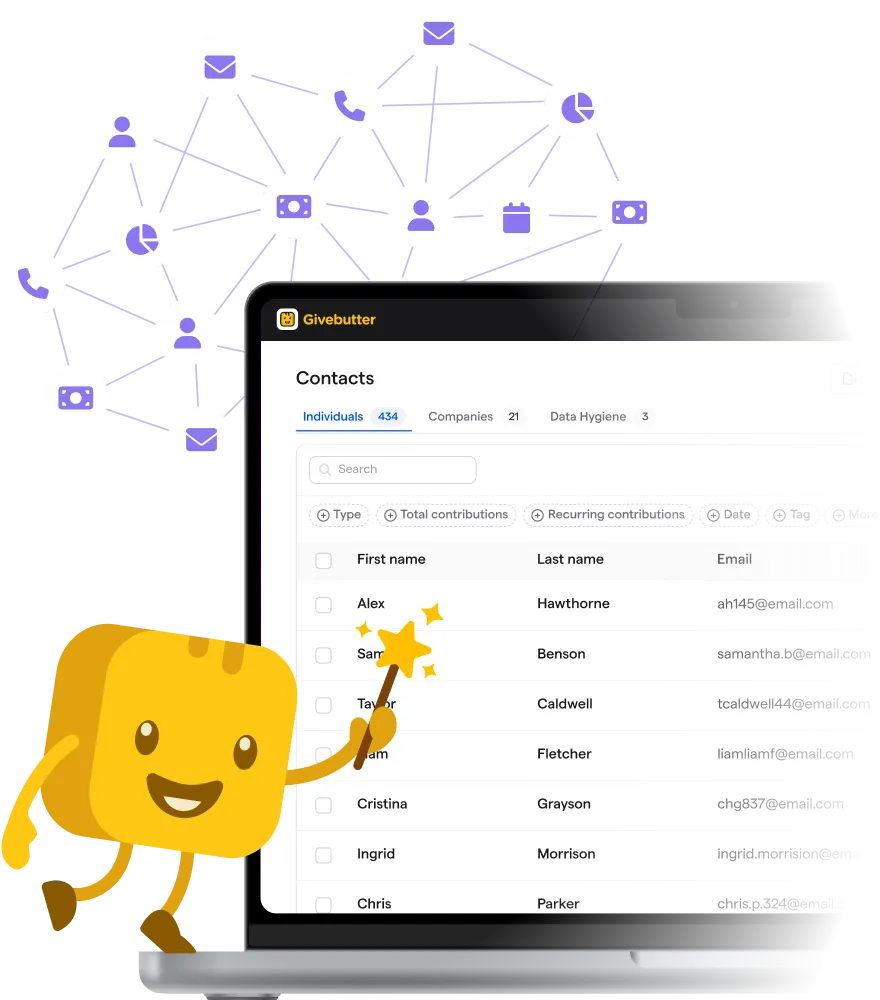
For example, Givebutter Magic is AI built specifically for nonprofit work, woven throughout the Givebutter platform. Its campaign creator helps draft fundraising campaigns, while contact insights and smart filters help teams work with donor and volunteer information.
With Magic, you stay in control. Nothing is sent to your supporters or published without you.
Givebutter’s AI features are enabled by default, and many can be disabled individually. However, some integral features, such as AI-assisted fraud detection and receipt matching, can’t be turned off.
You can find more information about these controls and data practices in Givebutter’s AI Addendum.
Your policy should also address AI connectors, which allow external tools to access organizational data. Givebutter, for example, offers optional connections to ChatGPT, Claude, and other compatible AI tools through its MCP server.
Data shared through these connections is subject to the external AI platform’s terms and privacy settings. Since some consumer accounts allow submitted data to be used for model training, your nonprofit should review those policies and approve the account type before anyone connects organizational data.
✍️ Sample policy clause:
“All AI features within [Organization]’s existing software must follow this policy. Staff must obtain approval before connecting organizational data to external AI platforms, use approved organization-managed accounts where required, and follow our data-handling rules. AI-generated recommendations and content must undergo human review before use.”
See how nonprofits use Givebutter’s AI connectors alongside the other tools in their workflow:
9. Training, ownership, & policy updates 📚
An AI policy needs someone to maintain it as new tools, risks, and regulations emerge. That responsibility usually falls to an operations director, IT lead, or another designated staff member who can approve tools, answer questions, and handle reported incidents.
The policy owner should also coordinate training so employees understand the rules before using AI for organizational work. Volunteers and contractors should also acknowledge the policy, and you should review it at least every six months or when significant legal or technology changes occur.
✍️ Sample policy clause:
“[Policy owner] is responsible for maintaining this policy, approving AI tools, and coordinating staff training. All covered users must acknowledge the policy and promptly report suspected misuse or data exposure to [Reporting contact]. The policy will be reviewed every [Six months] and updated as needed.”
AI policy for nonprofits examples to inspire you
You don’t have to write your nonprofit’s AI policy from scratch. Several organizations have published their own policies, while others offer templates you can customize.
Here are five resources to draw inspiration from, as well as examples of how your policy might change depending on your nonprofit’s mission and needs.
5 real nonprofit AI policies & templates 📋
1. International Center for Journalists (ICFJ) AI Use Policy
In its AI policy, ICFJ outlines permitted activities, such as drafting fundraising campaigns, alongside restrictions on sharing donor information and using AI without human review. Staff must also get approval before adopting new AI tools.
💡 Why it’s useful: It shows how to turn broad principles into specific rules employees can follow.
2. Rozsa Foundation AI Commitments and Guidelines
This arts-focused nonprofit takes a mission-driven approach to AI ethics. For example, its policy prohibits using AI-generated images in place of paid, credited artists’ work and commits to AI that assists, not replaces, human decision-making.
💡 Why it’s useful: It demonstrates how to adapt AI rules to your organization’s values and the communities you serve.
3. NTEN Generative AI Use Policy Template
In this template, NTEN provides sample language covering privacy, intellectual property, acceptable use, human oversight, and more. This template also references supporting exhibits for approved tools and chatbot usage rules.
💡 Why it’s useful: It’s a comprehensive starting point for nonprofits that want detailed guidance without drafting every clause themselves.
4. Community IT AI Acceptable Use Policy Template
Developed by an IT provider specializing in nonprofits, this resource offers a shorter acceptable-use policy that organizations can adapt. You can request the free Word or PDF version through its website.
💡 Why it’s useful: It’s a practical option for smaller teams that need straightforward rules without an extensive policy document.
5. Fast Forward Nonprofit AI Policy Builder
Instead of editing an existing document, this free AI policy builder asks you questions about your nonprofit’s mission, AI use, and governance needs. It then uses your answers to generate an editable policy covering privacy, ethics, risk management, and human oversight.
💡 Why it’s useful: It helps you create a tailored first draft, which your team can review and refine before adopting.
How AI policies differ by nonprofit type 🏢
The examples above provide a foundation, but your nonprofit’s size, resources, and beneficiaries will influence which rules need the most attention.
Here are some examples of how your AI policy will differ depending on your structure and the cause(s) you support.
1. Small nonprofit with no dedicated IT staff
Imagine a five-person food bank where everyone handles several responsibilities. Its AI policy could name the executive director as the approval contact, list two or three approved tools, and prohibit entering identifiable client data into personal AI accounts. A short policy with a simple reporting process may be enough to start.
2. Nonprofit serving vulnerable communities
A domestic violence shelter has more sensitive information to protect. Its policy might prohibit uploading client case notes, shelter locations, or identifying details into unapproved AI tools.
Staff could use AI for general outreach materials, but qualified professionals would still make decisions about emergency assistance, safety planning, and individual cases.
3. School, PTA, or PTO
A school-affiliated nonprofit may rely heavily on parent volunteers and handle information about children. Its policy could prohibit sharing student records, identifiable photos, or private family information with unapproved AI tools.
It should also require volunteers to follow school or district privacy rules and have a designated person review AI-generated communications before publication.
These examples show why copying another organization’s policy word for word rarely works. Instead, use the published resources for ideas, then adapt the rules to your staff, the information you handle, and the people who depend on your organization.
How to create an AI policy for your nonprofit
Creating an AI policy doesn’t have to be complicated, even if your nonprofit has limited staff or technical resources. Here’s how to develop a policy that reflects how your team works.
Find out how your staff already use AI 🔎
Before writing any rules, find out which AI tools staff already use, what tasks they use them for, and what information they share.
The Chronicle of Philanthropy shares advice from NTEN’s Amy Sample Ward to send an anonymous survey so employees can answer without worrying about getting in trouble for past AI use.
Ask about standalone chatbots, AI features in existing software, personal vs. work accounts, and any concerns staff have. Their responses will help you identify which rules to prioritize.
Get input from across your organization 🤝
Your fundraising team might be concerned about donor privacy, while program staff may worry about sharing beneficiary information. Both perspectives should shape your policy.
Bring together representatives from fundraising, programs, communications, operations, and IT teams, if available. Include staff with different levels of technical experience so the final policy reflects how people actually work.
Start with an AI policy template 📝
You can save time by using Givebutter’s free AI guidelines template or one of the other templates above instead of drafting everything from scratch.
Use it to establish your guiding principles, approved tools, data-sharing rules, and human review requirements. Then customize the language, add organization-specific restrictions, and assign responsibility for each part of the policy.
Align it with your existing privacy & data policies 🔐
Your AI policy should support the data protection rules your nonprofit already follows.
Review your privacy policy, data retention rules, confidentiality agreements, and information security practices. For example, if only certain employees can access donor records, connecting an AI tool shouldn’t bypass those permissions.
Where existing policies don’t address AI-related risks, update them or add the necessary requirements to your new policy.
Get leadership, board, & legal approval ⚖️
Before adopting the policy, have your leadership team and the appropriate board members review it for alignment with your mission and operations.
Legal counsel should also check the draft against applicable privacy laws, fundraising requirements, and contractual obligations. This is especially important if your nonprofit handles sensitive information or operates across multiple jurisdictions.
Resolve any questions about who can approve tools, grant exceptions, and handle incidents before finalizing the document.
Launch the policy with training & regular reviews 📔
Don’t simply email the policy to staff and assume everyone will follow it. Walk them through common scenarios, such as whether they can upload donor information, use AI to draft grant applications, or connect external tools to your CRM.
Have employees, volunteers, and contractors acknowledge the policy, and designate someone to answer questions or receive reports of misuse.
Finally, schedule a review every six months, with earlier updates whenever you adopt new AI tools or requirements change significantly.
Questions to ask your fundraising software about AI
Your AI policy can establish rules for handling donor data, but you also need to know how the software your nonprofit uses processes that information.
Before approving a new tool or using AI features in your existing fundraising platform, ask vendors the following questions. We’ve included Givebutter’s approach as an example of the information you should look for.
Use the answers to decide which tools your staff can use, what data they can access, and whether additional restrictions are necessary. If a vendor can’t explain its AI data practices or available controls, request further documentation before approving the tool.
Build an AI policy your team will actually use
AI can take real work off your team’s plate, but only when everyone knows the ground rules. Start with how your staff already use AI, set clear rules for your data, and make sure a person signs off on every AI-assisted output. Then revisit the policy as your tools and the rules around them change.
The tools you choose matter too. Look for software that’s upfront about how it uses AI and keeps you in control. That’s how we built Givebutter Magic: AI built for nonprofit work that drafts and suggests, while nothing reaches your supporters without you.
AI with transparency, privacy & control built in
FAQs about AI policies for nonprofits
Does a small nonprofit need an AI policy? 🏠
Yes. Even a nonprofit with just a few employees or volunteers can face risks when using AI, especially if staff handle donor information or sensitive records.
Your policy doesn’t need to be lengthy or complicated, though. A simple document covering approved tools, data protection, acceptable uses, and human review is a good starting point.
Can nonprofits put donor data into ChatGPT or Claude? 🔐
Yes, but only through approved accounts and workflows that meet your nonprofit’s privacy requirements.
ChatGPT Business and Claude for Work don’t use customer inputs and outputs for model training by default. However, you should still review each provider’s data practices, access controls, and contractual terms before sharing identifiable donor information.
Should we tell donors we use AI? 💬
Yes, especially when AI processes their personal information or plays a significant role in fundraising communications and decisions. Explain how donor data is used, what AI tools are involved, and how you protect their information. Your nonprofit should also obtain consent when required by applicable privacy laws.
Can we use AI to write grant applications? 📝
Yes, AI can help brainstorm ideas, structure proposals, and improve drafts. However, always check the funder’s AI guidelines first, as some restrict AI-generated content or require disclosure.
Staff should also verify every statistic, citation, and financial claim to ensure the final proposal accurately reflects your nonprofit’s work and impact.
How often should we update our AI policy? 📅
Review your AI policy at least every six months, or sooner if your nonprofit adopts new tools, experiences an AI-related incident, or faces new legal requirements. Assign someone to monitor these changes and gather staff feedback.
Regular reviews help keep your policy relevant as technology and organizational needs evolve.
Who should own the AI policy? 👤
Assign a specific person, such as your operations director, IT lead, or executive director, to oversee the policy. They’ll manage approved tools, coordinate training, address reported incidents, and schedule updates.
However, fundraising, programs, leadership, and other relevant teams should contribute to policy decisions so everyone’s needs are represented.
What’s the difference between an AI policy & AI guidelines? 📋
An AI policy establishes your nonprofit’s formal rules for using artificial intelligence, including approved tools, data restrictions, and accountability. AI guidelines, on the other hand, provide practical advice for following those rules, often with examples and recommended practices.
Many nonprofits combine both into one document so staff can find everything they need in one place.
Is an AI policy legally required? ⚖️
There isn’t a universal US law requiring every nonprofit to have a standalone AI policy. However, existing privacy laws, employment regulations, and other legal requirements may apply to how your organization uses AI.
Some funders and contracts may also impose specific conditions, so consult legal counsel to understand your obligations.
Share this article