

.svg)
.svg)
.svg)
.svg)
.svg)
.svg)
.svg)
.svg)
.svg)


.svg)
.svg)
.svg)
.svg)
.svg)
.svg)
.svg)
.svg)

.svg)
.svg)
.svg)

.svg)

.svg)
.svg)
.svg)
.svg)
.svg)


.svg)
.svg)
.svg)
.svg)
.svg)
.svg)
.svg)





.svg)





The day of your fundraiser is finally here. Guests are lining up, name tags don’t match, and RSVPs are scattered across emails, spreadsheets, and sticky notes. Instead of welcoming supporters, your team is untangling registration problems at the door.
An effective nonprofit event registration form prevents that scramble. It collects the right guest details in advance, keeps information organized, and gives your team what it needs for smooth check-in and thoughtful follow-up.
You’ll learn which required and optional fields to include, how to make your form easy to complete, and how to build a registration workflow that keeps your event running smoothly from sign-up to post-event outreach.
Key takeaways
- Collect the essentials ⭐ Start with each guest’s first name, last name, and email address, plus their ticket or registration type when applicable.
- Customize with purpose 🎨 Add fields for details you’ll actually use, such as dietary restrictions, accessibility needs, or T-shirt size. Aim for five to eight fields total.
- Confirm every registration 📧 Send an immediate confirmation with the guest’s registration summary and essential event details.
- Prepare for smoother check-in 👋 Keep registration details organized and choose a system that lets your team check in guests and register walk-ins efficiently.
- Keep guest data connected 🧈 Givebutter brings registration forms, event pages, confirmation emails, CRM contact profiles, and mobile check-in together in one platform.
What to include on your event registration form
Start with three essential contact fields: first name, last name, and email address. This information helps you track attendance, share event updates, and follow up with guests as part of your broader donor stewardship strategy.
From there, add only the fields that will help you plan the event or improve the guest experience.
💡 Pro tip: If your event has limited capacity, create a waitlist and ask for a phone number only if you plan to use it to offer open spots. Tell registrants how you’ll contact them and what information to expect.
How to create an event registration form with Givebutter
The best event registration experience feels effortless to guests because you’ve done the thinking upfront. With Givebutter, your online event registration form lives inside your event campaign, keeping ticket sales, attendee details, and fundraising activity connected from registration through follow-up.
Here’s how to set everything up while avoiding the big event-day headaches.
1. Create your event campaign 🎟️
From your Givebutter dashboard, select New Campaign, then Start an Event. Choose whether your event will be in person, virtual, or hybrid and add the essential details guests need:
- Event name, date, time, and location
- A clear event description
- Photos, brand colors, and your logo
- Fundraising goal and progress bar
- Contact information for guest questions
Before decorating your page, decide what registration needs to accomplish. Are you collecting free RSVPs, selling tickets, recruiting peer-to-peer fundraisers, or doing all three? Your answer will shape the ticket options and event registration form questions you create.
💡 Pro tip: Write your event description for someone hearing about your organization for the first time. Explain what they’ll experience, what their registration supports, and what happens after they sign up.
For peer-to-peer events, enable registration fundraising so participants can register and create a fundraising page in one flow.
2. Configure your ticket options 🎫
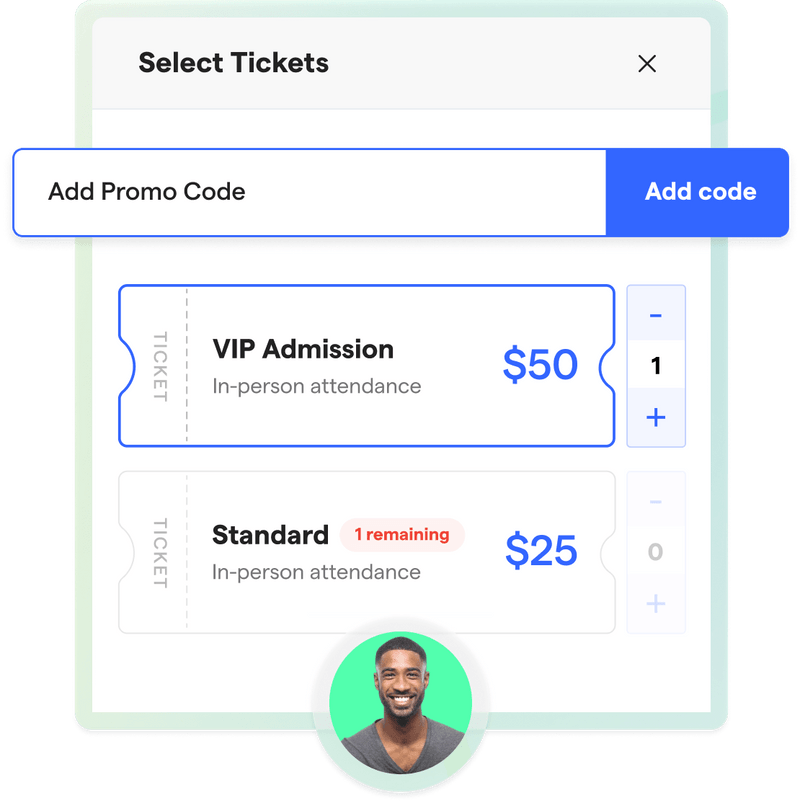
Next, use Givebutter’s event ticketing tools to create the free or paid ticket options guests can select.
Give each option a descriptive name that makes its value immediately clear. Your guests shouldn’t need a decoder ring to understand the difference between “Level 1” and “Level 2.”
For each ticket option, consider adding:
- A price or $0 registration
- A short description of what’s included
- An image
- A quantity limit
- Fair market value, when applicable
- Availability status
You can offer general admission, early-bird, VIP, sponsorship, table, or multi-person ticket bundles in the same event campaign. This lets you create an event registration form with payment while keeping free options available for volunteers, speakers, or special guests.
Check your nonprofit event budget before setting prices so ticket revenue supports your fundraising goal after venue, catering, entertainment, and other expenses.
💡 Pro tip: Set a calendar reminder to deactivate early-bird tickets and activate standard pricing at the right time.
Simplify event ticketing & registration
3. Add custom registration questions ✍️
Start with the information you need for every attendee, typically first name, last name, and email address. Then add only the custom fields your team will actually use.
For example:
- Ask about dietary restrictions for a seated dinner
- Collect accessibility needs for an in-person event
- Request a T-shirt size for a walk or volunteer day
- Let conference attendees choose sessions
- Ask for a team affiliation during a peer-to-peer fundraiser
Apply questions to specific tickets when possible. A gala guest might need to choose an entrée, while a virtual attendee needs to confirm where they’d like to receive the event link. There’s no reason to make both answer every question.
Remember that the purchaser and ticket holder may be different people. If one supporter can buy an entire table or register several guests, collect the necessary information for each ticket holder.
💡 Pro tip: Preview the complete checkout as a guest before publishing. Watch for duplicate questions, unclear wording, and required fields that don’t apply to every attendee. If you’re using registration fundraising, add your per-ticket custom fields before enabling the feature.
4. Set up confirmations & reminders 📧
Givebutter automatically emails a receipt after registration. For in-person and hybrid events, ticket holders also receive a PDF ticket with a QR code for check-in.
Add a campaign-specific thank-you message with the details guests are most likely to look for later:
- Arrival and check-in time
- Venue address or virtual access instructions
- Parking and transportation information
- Dress code
- What to bring
- A contact for questions
You can also enable automated reminders for 24 hours and one hour before your event.
Because one thank-you message applies across the event campaign, keep it useful for everyone. Send separate follow-up messages when VIPs, speakers, volunteers, or virtual guests need different instructions.
Purchaser details and transactions flow into Givebutter’s donor management CRM, while ticket holder details and custom responses remain connected to each ticket. This gives your team a clearer record of who paid, who attended, and how each person engaged.
💡 Pro tip: Don’t bury a schedule change in a long confirmation message. Put time-sensitive information near the top and repeat it in your event reminders.

5. Share & embed your registration form 🔗
Once you’ve tested the registration process, share your event page through the channels your supporters already use:
- Email invitations and newsletters
- Social media posts
- Text messages
- Printed QR codes
- Partner and sponsor communications
- Your organization’s website
Use Givebutter widgets to add a “Register” or “Buy tickets” button to your website. Guests can also access the registration form through your event campaign’s unique URL.
Creating a free online event registration form works the same way. Simply create a ticket priced at $0. You’ll still get an organized guest list and the information you need for reminders and check-in.
💡 Pro tip: Don’t use the signup form widget for event registration. It’s designed to add contacts to your mailing list rather than track event tickets or custom registration questions.
6. Prepare for event-day check-in 📱
A five-minute test run now can save a very long five minutes at the door. Before event day, give staff members the appropriate Admin or Mobile Access permissions and have everyone practice checking in a test ticket.
With the Givebutter mobile app, your team can:
- Scan ticket QR codes
- Search by name, email address, or ticket number
- Check in guests manually
- Sell existing ticket options to walk-ins
- Monitor attendance as guests arrive
Multiple team members can scan tickets at the same time. Refresh the attendee count periodically so each device displays the latest check-in total.
If you plan to sell tickets at the door, use Tap to Pay to accept contactless payments from a compatible phone without hauling around another card reader.
💡 Pro tip: Assign separate team members to scanning, troubleshooting, and walk-in sales. One clearly marked help line keeps registration questions from slowing down guests who are ready to check in.
Download your free event registration form template
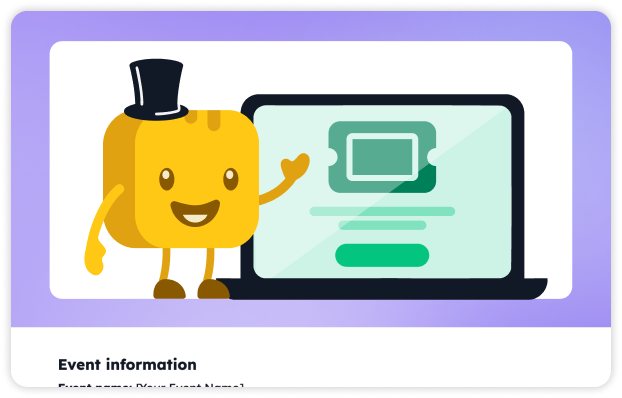
Ready to build your form? Our free, downloadable event registration form template helps you organize essential contact details, event-specific questions, ticket selections, and payment information without starting from scratch.
Replace the bracketed prompts with your event details, then remove any fields you don’t need. Your guests get a quicker registration experience, and your team gets the information needed to plan with confidence.
Real nonprofit event registration form examples
There’s no single perfect registration form. A trivia night needs different information than a fundraising walk, and the strongest forms reflect those differences. These real event registration form examples show how nonprofits use Givebutter to collect the right details without making registration feel like paperwork.
1. Project Graduation: Keep teams organized 🎓
The Parkway School District Parent Teacher Organization Council used its Class of 2027 Project Graduation campaign to sell tickets for a trivia night supporting the graduating class.
The campaign raised $9K+ from just less than 70 supporters while bringing event details, ticket sales, donations, peer-to-peer fundraising, and an auction together in one place.
.webp)
⭐ Best for: School fundraisers and team-based events
💛 Why it works:
- Multiple ticket options give supporters clear ways to participate
- A team-name field keeps trivia groups organized
- A phone-number field makes urgent event updates easier
- Detailed arrival, food, and venue information answers common questions before event day
💡 Steal this idea: If guests will attend in teams or tables, ask everyone to enter the team name using the same format. Consistent responses will save your team from untangling variations like “Team Amy,” “Amy’s Team,” and “Amy Table” later.
2. Walk to End HIV: Make free registration count 🚶
Allies in Hope used its Walk to End HIV campaign to combine free event registration, donations, and team fundraising. Its registration form keeps things simple with four fields: first name, last name, email address, and phone number.
The campaign surpassed its $100K goal, raising $105K+ from over 1,200 supporters.
.webp)
⭐ Best for: Free walks, a-thons, and peer-to-peer events
💛 Why it works:
- Free registration lowers the barrier to participation
- Attendees can donate while registering
- Participants can create or join a fundraising team
- Profile photos, sharing tools, and a team leaderboard build community and friendly competition
- A short form gets people registered quickly
💡 Steal this idea: For a free event, keep required registration questions to a minimum and give motivated participants an optional next step, such as making a donation or launching a fundraising page.
Turn event registrations into lasting relationships
A great event registration form does more than collect names. It sets clear expectations, keeps check-in moving, and gives your team the information needed to welcome every guest well.
Givebutter brings customizable fundraising event tools, ticketing, guest check-in, and donor management together in one place. Your event transactions and supporter records stay connected, while ticket details remain organized for event-day coordination and follow-up. No spreadsheet scavenger hunt required.
After the event, you can thank attendees, share the impact they helped create, and invite them to stay involved in your mission.
Sign up for your free Givebutter account and start registering guests for your next event.
FAQs about nonprofit event registration forms
How do I create an event registration form for free?
Use Givebutter’s free event campaign builder. Once you’ve set up an event page, you can create a registration form with ticket tiers, custom fields, and a range of payment methods. Guests complete registration and ticket purchase through the same checkout flow.
Plus, with Givebutter, your registration data is stored in your CRM, allowing you to deepen relationships with donors beyond event day.
What fields are required on an event registration form?
Always include first name, last name, email, and ticket type. This way, you can track how many of each ticket you’ve sold and send updates, follow-ups, and additional opportunities to get involved.
Consider adding phone number, dietary restrictions, and accessibility needs if you’re hosting a larger event or sit-down dinner. Just remember to only include form fields you know you’ll use; longer forms are more likely to create friction for registrants.
Can I create an event registration form with payment?
Yes! With Givebutter, you can create an event registration form that accepts multiple payment methods, including credit cards, PayPal, Google Pay, Apple Pay, Venmo, Cash App, and more.
Share this article




_4x.webp)




.svg)
.svg)


