











If nonprofit work is toast, research is its butter.
Looking into prospective donors, finding new grant opportunities, and planning new outreach all put the mission you wake up for every day in a better position. And those efforts are made better by the research you do. The challenge is that research can be time-consuming, with hours spent digging through search results.
Perplexity helps by combining AI with live web search. Instead of giving you a generic, chatbot-style answer based on predetermined information, this tool scours the internet, pulls together relevant information, and shows the sources behind the response so you can check the evidence yourself.
Below, you’ll find how to use Perplexity for nonprofits, how its pricing works, where it falls short, and how Givebutter makes it even more useful.
Key takeaways
- Nonprofits can use Perplexity for practical research tasks. Perplexity can help with funder prospecting, grant statement-of-need research, policy monitoring, donor and board briefings, and event benchmarking.
- Citations help, but they don’t guarantee accuracy. Perplexity can still misread sources, miss context, or repeat inaccurate information, so important claims, statistics, and funding details should always be checked at the source.
- The right Perplexity plan depends on how your team uses it. Perplexity Pro suits a nonprofit where one person handles research, while Enterprise Pro adds shared Projects, centralized user controls, and stronger privacy protections for nonprofits with multiple staff members.
- Connecting Perplexity to Givebutter via MCP brings your fundraising data into the research process. Through Givebutter’s MCP server, compatible AI tools like Perplexity can securely read approved data such as contacts, transactions, campaigns, and recurring donations, helping nonprofits combine outside research with what’s happening inside their organization.
What is Perplexity & how is it different from ChatGPT or Claude?
Perplexity is an AI-powered research tool that combines the conversational feel of an AI assistant with web search. Ask a question, and Perplexity searches the web, pulls information from relevant sources, and turns what it finds into a direct answer with clickable citations. That makes it easy to check where a claim came from or dig into the original source yourself.
Although Perplexity is often discussed alongside ChatGPT and Claude, they’re not exactly the same. ChatGPT and Claude are general-purpose AI assistants that can help with everything from writing and brainstorming to coding, analysis, and research. They rely primarily on internal knowledge from their training data, but both can also search the web in supported modes.
Perplexity, however, is built around web research. It routinely searches for current information, compares sources, and cites the pages used to produce its answer. More advanced features can go deeper, pulling together information from multiple sources and synthesizing it into a more detailed response.

Perplexity can also use different AI models, including models from OpenAI and Anthropic, depending on the task.
For nonprofits, that makes Perplexity especially useful for tasks that involve finding and verifying information.

How nonprofits use Perplexity for research
Nonprofit teams often need answers quickly, but they also need to know where those answers came from. Perplexity can speed up the research process while still giving staff sources they can open, check, and use for deeper digging.
Here are five ways nonprofits can use Perplexity in their operations:
1. Research funders & foundations 🔎
Before reaching out to a foundation, nonprofits can use Perplexity to learn more about its recent giving, stated priorities, leadership, and any changes that may affect fit.
For example, you could research which organizations a foundation has funded recently, whether its focus areas have shifted, or whether a new executive director has been appointed.
Because Perplexity links back to its sources, you can review the original grant announcements, foundation pages, or news coverage before deciding whether to pursue the opportunity.
2. Strengthen grant statement-of-need research 📊
Securing a grant requires more than just a compelling story. You also need to back up your proposal with current evidence and statistics. Perplexity can help you find recent statistics, government reports, academic research, and other credible sources related to the problem you address.
A food security nonprofit, for example, could look for recent data on food insecurity in a particular state or county, then trace the citations back to the original source before including the figures in a proposal.
3. Monitor policy & sector changes 🏛️
Shifts in government funding, legislation, and sector policy can instantly change how your organization operates. Perplexity can help you track changing laws or developments that may affect your programs, funding, or communities.
For example, you could use it to research a new bill, understand proposed changes to a federal program, or see how a funding decision may affect organizations working in your cause area. You can also ask follow-up questions to narrow the research by location, population, or program.
4. Prepare board & donor briefings 📝
Before a major donor meeting or board discussion, staff often need a quick summary of a company, individual, issue, or funding trend.
Perplexity can help assemble a short, sourced brief covering recent news, leadership changes, philanthropic activity, or other relevant background, giving everyone the context they need before the conversation.
5. Research similar nonprofit events 🎟️
Planning a charity gala, auction, walk, or 5K run requires an understanding of the local landscape, including what to charge, how to secure sponsorships, and what other organizations are doing.
Perplexity can help teams research public event pages from similar nonprofits in the region and compare details such as ticket prices, sponsorship levels, fundraising formats, and event positioning. That research can give organizers useful benchmarks without copying another organization’s approach.
Although Perplexity excels at finding and organizing information quickly, AI search engines can occasionally misread a page, miss important context, or misinterpret data. So, your team should always click the inline footnotes to verify the original source before putting the numbers into a formal proposal or board report.
Perplexity Pro vs. Enterprise Pro for nonprofits
Perplexity offers plans for both individuals and organizations, but its nonprofit discount only applies to Enterprise Pro. The right plan for your organization depends on how many people need Perplexity and whether your team needs shared research spaces, centralized administration, and stronger organizational data controls.
Perplexity individual pricing 👤
For individuals, Perplexity offers three pricing tiers (at the time of writing):
- Free: This plan costs $0, with basic search, citations, and limited access to advanced features.
- Perplexity Pro: This plan costs $20/month billed monthly, or $17/month billed annually, with deeper research, advanced AI models, more file uploads, and higher usage limits.
- Perplexity Max: This plan costs $200/month billed monthly, or $167/month billed annually, and it’s aimed at individual users who need much higher limits, expert-level research, and priority access to Perplexity’s newest features.
Perplexity does not offer a nonprofit discount on individual Perplexity Pro.
For a small nonprofit where one grant writer, development lead, or executive director handles most of the research, Perplexity Pro may be enough. Pro also supports custom connectors, so a solo researcher can connect Perplexity to Givebutter without upgrading to an Enterprise plan.
If you connect Givebutter on a Pro plan, check Perplexity’s data and privacy settings first, since how your data is handled depends on Perplexity’s policies for your account type.
Perplexity Enterprise pricing 🏢
At the time of writing, Perplexity offers two Enterprise plans, both priced per seat:
- Enterprise Pro: $40/seat/month, or $400/seat/year billed annually.
- Enterprise Max: $325/seat/month, or $3,250/seat/year billed annually.
Enterprise Pro is built for teams that need reliable research, access to advanced AI models, and more control over how Perplexity is used across the organization. Along with the research features in Perplexity Pro, teams get shared Projects, user management, single sign-on (SSO), and dedicated support.
Enterprise Max adds the highest usage limits, access to Perplexity’s most advanced models, and larger file limits. If an organization has at least one Enterprise Max seat, it also unlocks SCIM user provisioning, audit logs, and custom data retention across the organization.
Perplexity also states that it doesn’t use data from Enterprise customers to train its AI models. So if you upload internal reports or connect sensitive fundraising data, that information won’t be used to train or improve Perplexity’s models for other users.
Perplexity Enterprise Pro pricing for nonprofits 💛
To support the social sector, Perplexity extends discounted corporate access to eligible nonprofit organizations and educational institutions. This means that eligible nonprofits can access Perplexity Enterprise Pro for $30/seat/month or $300/seat/year (equivalent to $25/seat/month) at the time of writing.
The discount applies to Enterprise Pro only, not individual Perplexity Pro or Enterprise Max. To secure the discounted rate, contact Perplexity’s team to confirm your eligibility.
💡 Which plan should I choose?
If you’re deciding between Perplexity Pro and Enterprise Pro, the dividing line is fairly simple. Perplexity Pro is a good fit when one person handles most of the research, and it can still connect to your Givebutter data. Enterprise Pro makes more sense when several staff members need to collaborate in shared Projects, manage users and permissions centrally, or keep organizational data covered by Perplexity’s Enterprise privacy protections.
How accurate is Perplexity for nonprofit research?
Perplexity pulls real-time information from the live web and provides inline citations for its claims. That can make it more reliable than a standard chatbot, especially when researching current funding priorities, policy changes, statistics, or other information that changes frequently.
However, Perplexity is only as accurate as the sources it indexes. If the top results contain outdated donor statistics, biased reports, or flawed methodology, the AI will mirror those inaccuracies.
Perplexity’s models can also misread a source, misinterpret a chart, leave out important context, or cite a page that doesn’t fully support the claim it makes. A 2025 study from the Tow Center for Digital Journalism tested eight AI search tools, including Perplexity, and found that they frequently returned incorrect answers or inaccurate citations. Perplexity, specifically, answered 37% of the study’s news-citation queries incorrectly.
That’s why you should validate crucial information by checking the sources linked in Perplexity’s answers. If a statistic is going into a grant proposal, open the original government report or study. If you’re researching a foundation, confirm its priorities on the foundation’s website. And if a policy change could affect funding or programs, check the relevant government source.
Perplexity can speed up the research process, but the final fact-check is yours.
Get more from Perplexity with your Givebutter data
Perplexity can tell you what a foundation funded last year, surface current statistics on the issue your nonprofit works on, or summarize recent changes in your sector, so long as that information is available on the web. What it can’t see is what’s happening inside your organization beyond the information you’ve made public online.
For example, Perplexity can’t tell you which donors gave twice last year and then lapsed, how much you raised through recurring gifts last quarter, or which campaigns raised the most.
Like other compatible AI tools, Perplexity can connect to that information through Givebutter’s AI connectors, which use MCP (Model Context Protocol).
MCP is an open standard that acts as a secure translator, letting AI tools safely read approved data from other software applications. Once connected, Perplexity can access live Givebutter data, including contacts, transaction histories, peer-to-peer campaigns, recurring donation plans, pledges, events, auctions, messages, and more.
Connect Givebutter to Perplexity 🔗
Custom connectors require a paid Perplexity plan and aren’t available on the Free plan. On Enterprise plans, an admin needs to add the connector for the organization or turn on the setting that lets members add their own custom connectors (it’s off by default). Givebutter’s setup guide for AI assistants covers custom connections in more detail.
To connect Givebutter:
- In Perplexity, open Plugins in the sidebar (or Customize → Connectors if you don’t see Plugins yet), then select Add custom → Add MCP connector.
- Select Remote, name the connector (e.g., “Givebutter”), and enter https://mcp.givebutter.com/mcp as the MCP server URL.
- Choose Streamable HTTP as the transport, check the acknowledgment box, and click Add.
- Click the Givebutter connector card to start authentication. Then log in to Givebutter, choose the account you want to connect, and approve access.
Once you set this up, Perplexity can combine its web research with your live fundraising data. For example, you could ask:
- “Research the ABC Community Foundation’s grants from the past two years, then identify which of our Givebutter campaigns and donor segments align most closely with its current priorities.”
- “Find recent recurring-giving benchmarks for nonprofits like ours, then compare them with our active recurring plans, average recurring gift, and recurring giving totals from the past 12 months.”
- “Compare ticket prices and sponsorship packages for five nonprofit galas in our city, then measure those benchmarks against our most recent event.”
Perplexity can pull that information directly from your donor database, so you don’t have to export reports or copy and paste data into the chat first. Our AI connectors use live account data and can only access the Givebutter account you connect when you log in.
That said, there are a few technical details to keep in mind. The connection is read-only, works with one Givebutter account at a time, and can be disconnected whenever you want. Givebutter’s approach to AI is designed to align with Fundraising.AI’s framework for responsible AI.
See how nonprofits use Givebutter’s AI connectors alongside the other tools in their workflow:
Use Perplexity with the data your nonprofit already has
Perplexity can help nonprofit teams research faster, verify claims, and keep up with changes that affect their work. But its value grows when you pair outside research with the fundraising data already inside your organization.
Through Givebutter’s MCP server, Perplexity can pull approved information from your Givebutter account, so you can ask richer questions without exporting reports or copying data between tools.
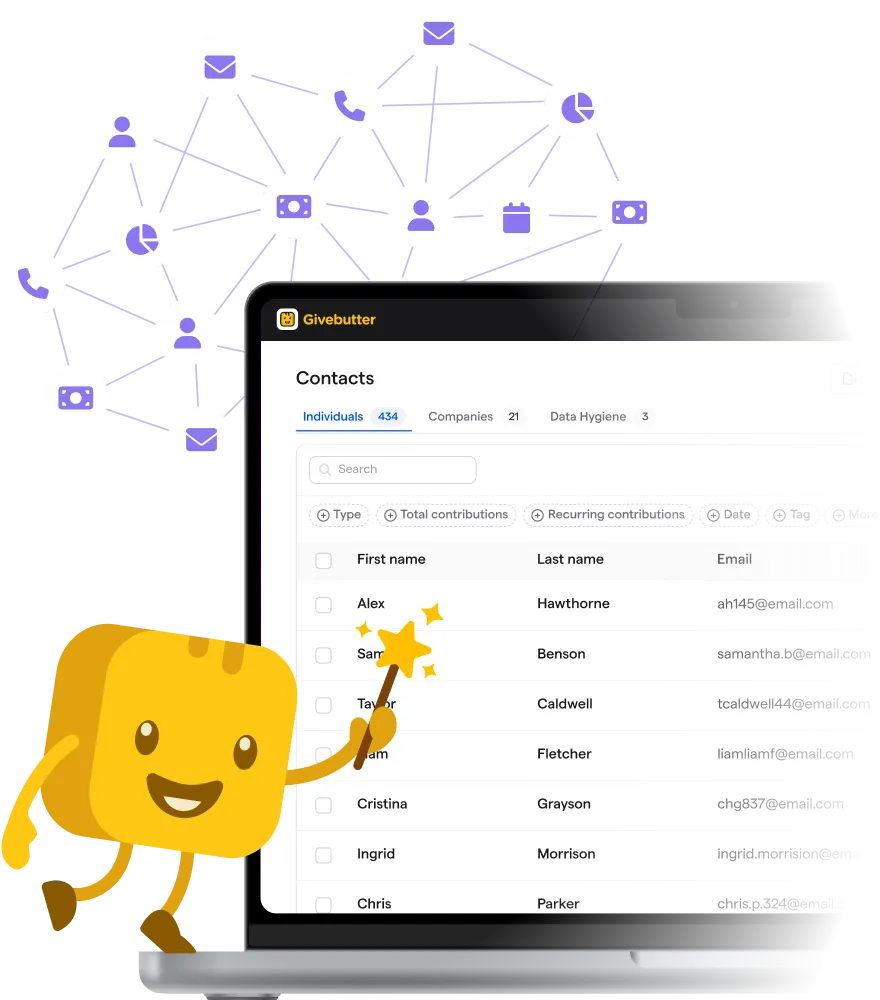
Connect your donor data to your favorite AI tools
If you want to see how Givebutter can support your fundraising and AI workflows, try Givebutter for free and start exploring what you can do with your data.
Perplexity for nonprofits FAQs
Can Perplexity find grant opportunities for nonprofits? 💰
Yes. Perplexity can search the web for grant opportunities that match a nonprofit’s location, cause area, population served, or funding needs.
However, it won’t necessarily surface every available grant. Treat the results as leads, then visit the funder’s official website to confirm eligibility requirements, application deadlines, award amounts, and whether the opportunity is still open.
Can Perplexity help write a grant proposal? ✍️
Perplexity can support the research behind a grant proposal by finding current statistics, studies, funder information, and other background. It can also help organize that research or summarize lengthy reports.
For the final proposal, however, nonprofits should verify every cited fact and add their own program details, outcomes, and organizational voice rather than relying on AI-generated information alone.
Can I upload reports & spreadsheets to Perplexity? 📁
Yes. Perplexity can analyze uploaded files, including PDFs and CSVs, so nonprofits can ask questions about reports, research papers, spreadsheets, or other documents.
File-upload limits depend on the plan: the Free plan includes limited uploads, while Perplexity Pro and Enterprise plans provide higher limits and more advanced file analysis.
Is Perplexity better than Google for nonprofit research? 🔍
They work differently. Google is useful when you want to browse search results yourself and choose which pages to investigate. Perplexity does more of the initial reading for you, pulling information from multiple pages into one cited answer.
For important research, using both can work well: Perplexity can narrow the field, while direct search helps uncover and verify additional sources.
Can Perplexity replace a nonprofit grant database? 🗂️
Not completely. Perplexity can find publicly available information about foundations, funding priorities, past grants, and open opportunities, but dedicated grant databases often contain structured funder profiles and funding data that may not be freely available on the web.
Perplexity works best alongside those resources, especially for researching a funder more deeply or checking recent developments before applying.
Share this article