


.svg)
.svg)
.svg)
.svg)
.svg)
.svg)
.svg)
.svg)
.svg)
.svg)
.svg)
.svg)
.svg)
.svg)
.svg)
.svg)
.svg)

.svg)
.svg)
.svg)

.svg)

.svg)
.svg)
.svg)
.svg)
.svg)


.svg)
.svg)
.svg)
.svg)
.svg)
.svg)
.svg)







%20(1).png)
Table of contents
Table of contents
.svg)

On Giving Tuesday, social media feeds light up with generosity, gratitude, and stories of impact. Last year alone, changemakers like you helped raise $4B for good causes in a single day.
If you're not sure how to make your organization stand out on social media this Giving Tuesday, here's the good news: a well-planned content strategy doesn't just add to the noise. It converts social scrollers into actual donors.
That's where this guide comes in. From viral video ideas to post templates, you'll learn how to craft scroll-stopping social content, when to post it with a content plan, and how you can collect donations directly on Facebook and Instagram to make this your most impactful Giving Tuesday yet.
Key takeaways
- Map your Giving Tuesday content across the campaign 🗓️ Build anticipation before the big day, keep momentum with real-time updates, and end strong with a gratitude post.
- Use Givebutter's Meta fundraising integration 🔗 Collect donations directly through Facebook posts and Instagram Stories.
- Lead with video and livestreams 🎥 Post 15–45-second clips that highlight real people and impact, and go live 2–3 times (kickoff, midpoint, finale) to keep donors engaged.
- Keep your branding consistent 🎨 Customize Canva templates and stick to your brand colors and fonts.
- Empower your community 🙌 Create and share a media kit with ambassadors or board members to amplify your reach.
- Don't forget the follow-up 💛 Post your final total, thank supporters publicly, and invite them to stay involved through your year-end giving campaign or recurring giving.
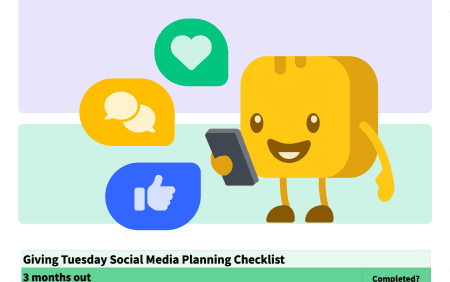
Download your free Giving Tuesday social media kit
Whether you're handling nonprofit marketing solo or with a team, a well-prepared media kit can keep you organized and maximize your reach.
We've created a free Giving Tuesday social media kit template with everything you need to organize your campaign—from campaign planning and branding to social content, graphics, videos, and post-campaign follow-up.
Engage supporters with these Giving Tuesday post ideas
With millions of Giving Tuesday posts competing for attention, the goal isn't more posts—it's deeper emotional connection. These ideas will help you rally your community, showcase your impact, and inspire supporters to share your story.
Social media post ideas that spark action ⚡
- Promote your plan for the day 📝 Share a graphic that lists when you'll be posting and what you're doing, e.g., a livestream, future campaign sneak peek, or challenge launch.
- Start your own social media challenge 🧊 Create a mini social media challenge based on an activity your audience would enjoy. Invite people to participate, share a photo, and include your hashtag.
- Share a personal story 📚 Dedicate one post to a moving impact story. Give your supporters a behind-the-scenes look to help them understand the value of your work.
Giving Tuesday video ideas that add authenticity 🎥
- Go live 🎬 Share live videos and updates in the supporter feed of your Givebutter campaign or on social media to keep the momentum strong all day.
- Feature your people 👋 Spotlight team members in pre-recorded (or live!) videos where they introduce themselves, talk about their role, and explain why your mission matters.
- Collect supporter video submissions 📹 Ask donors to share short videos about why they support your organization, then combine them into a single Giving Tuesday promo video.
Community engagement ideas to expand your reach 🌎
- Update your website and socials ✨ Add your Giving Tuesday campaign link to the bio or About section of your social media pages. Embed a can't-miss donate button or eye-catching widgets to make giving easy.
- Ask your community to amplify your campaign 📣 Empower supporters to spread the word with a fundraising toolkit that includes Giving Tuesday captions, videos, images, and hashtags, and use Givebutter's one-click social sharing feature to drive engagement even further.
- Interact with tagged content 💛 Comment, like, share, and respond to posts and direct messages throughout the day. When someone tags your organization in a great photo, ask for permission to repost it.
Giving Tuesday follow-up post ideas to keep the momentum going 💌
- Say thank you the next day 🙏 Finish strong with a heartfelt thank-you post. Follow up with personal notes later, but don't miss this opportunity to express your gratitude publicly.
- Update supporters on your fundraising goal 💰 Celebrate how much you raised! Share your final total and remind them what they've made possible.
- Promote your email list or community 📧 Encourage new followers to sign up for your email list or digital community.
5 high-performing Giving Tuesday social media post examples
The best Giving Tuesday posts don't just ask for donations. They tell a story that moves people to act. From heartwarming videos to striking visuals, these standout campaigns inspired giving through emotion, trust, and creativity.
1. Save the Elephants: Tripling impact with a Giving Tuesday match 🐘
Save the Elephants posted a video of elephants roaming freely paired with a powerful announcement that all Giving Tuesday donations would be triple-matched. The post created a sense of urgency and showed donors how their gifts could protect elephants and foster coexistence with nearby communities.
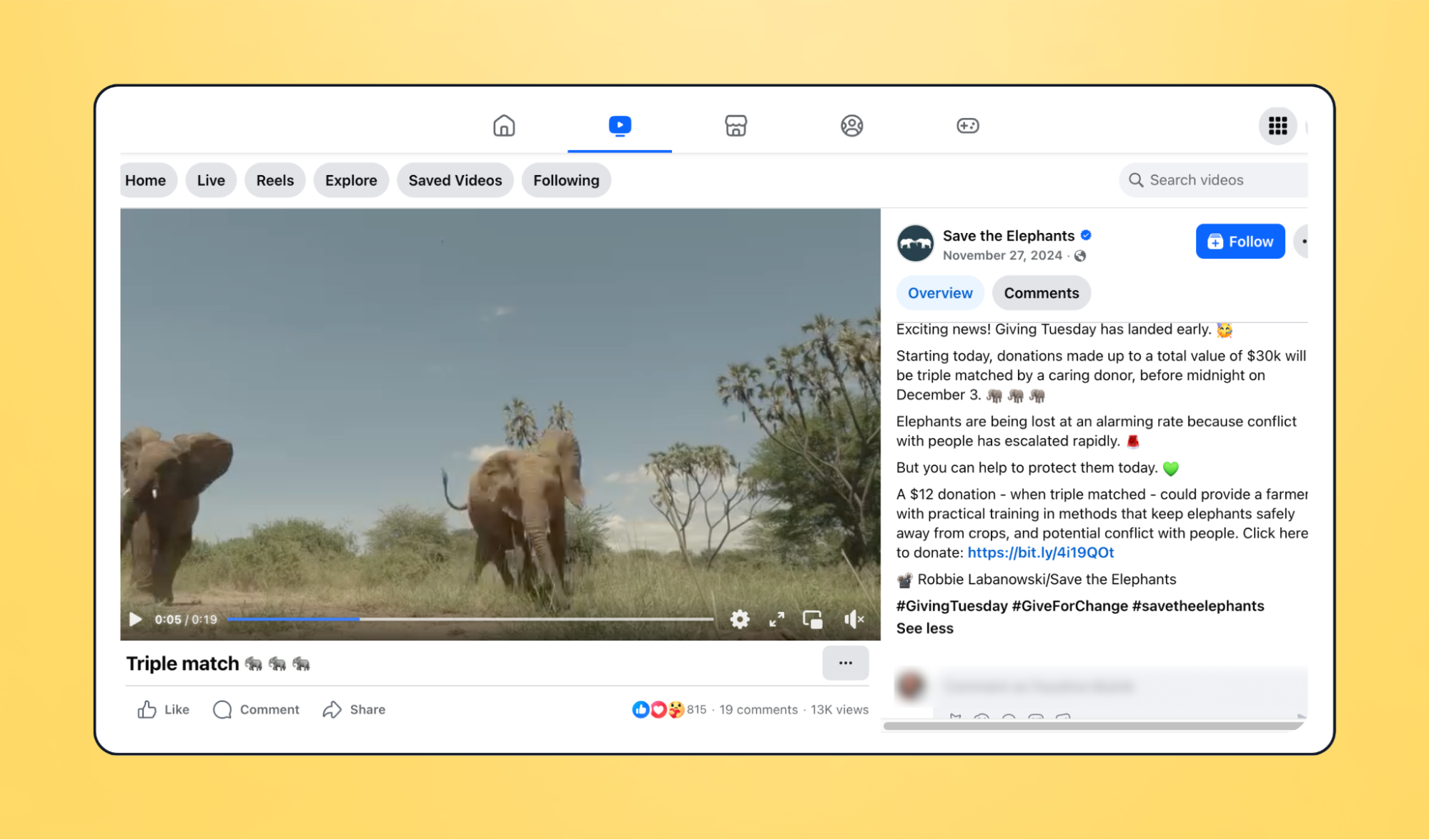
⭐ What donors loved: The stunning wildlife footage stopped people mid-scroll, while the triple-match incentive made donors feel like their gift truly mattered.

2. American Red Cross: Leading with heart on Giving Tuesday ❤️
The American Red Cross paired clean visuals with messaging that invited followers to "lead with your heart" through small acts of kindness, such as donating blood or volunteering. Their Giving Tuesday content consistently featured their recognizable red-and-white branding, helping the campaign stand out in crowded feeds.
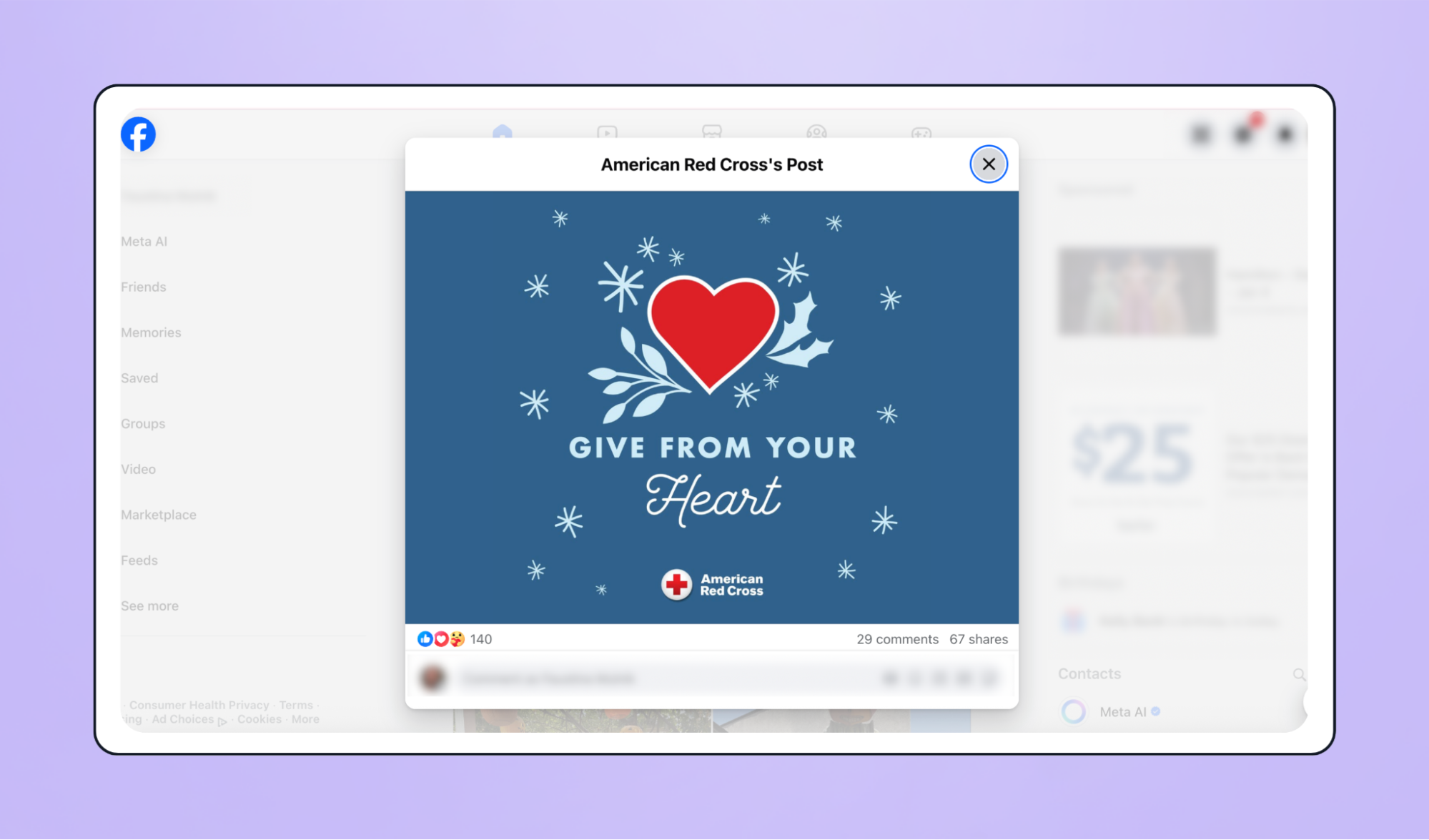
⭐ What donors loved: The message was universal yet deeply personal, reminding people that generosity takes many forms to help everyone feel part of the movement.
3. Cabrillo High School Aquarium: Making a splash with student storytelling 🐠
Cabrillo High School Aquarium took supporters behind the scenes with a playful TikTok video featuring students leading a tour—and using a fish as a microphone. The creative, authentic post brought their mission to life and inspired viewers to support hands-on marine education.
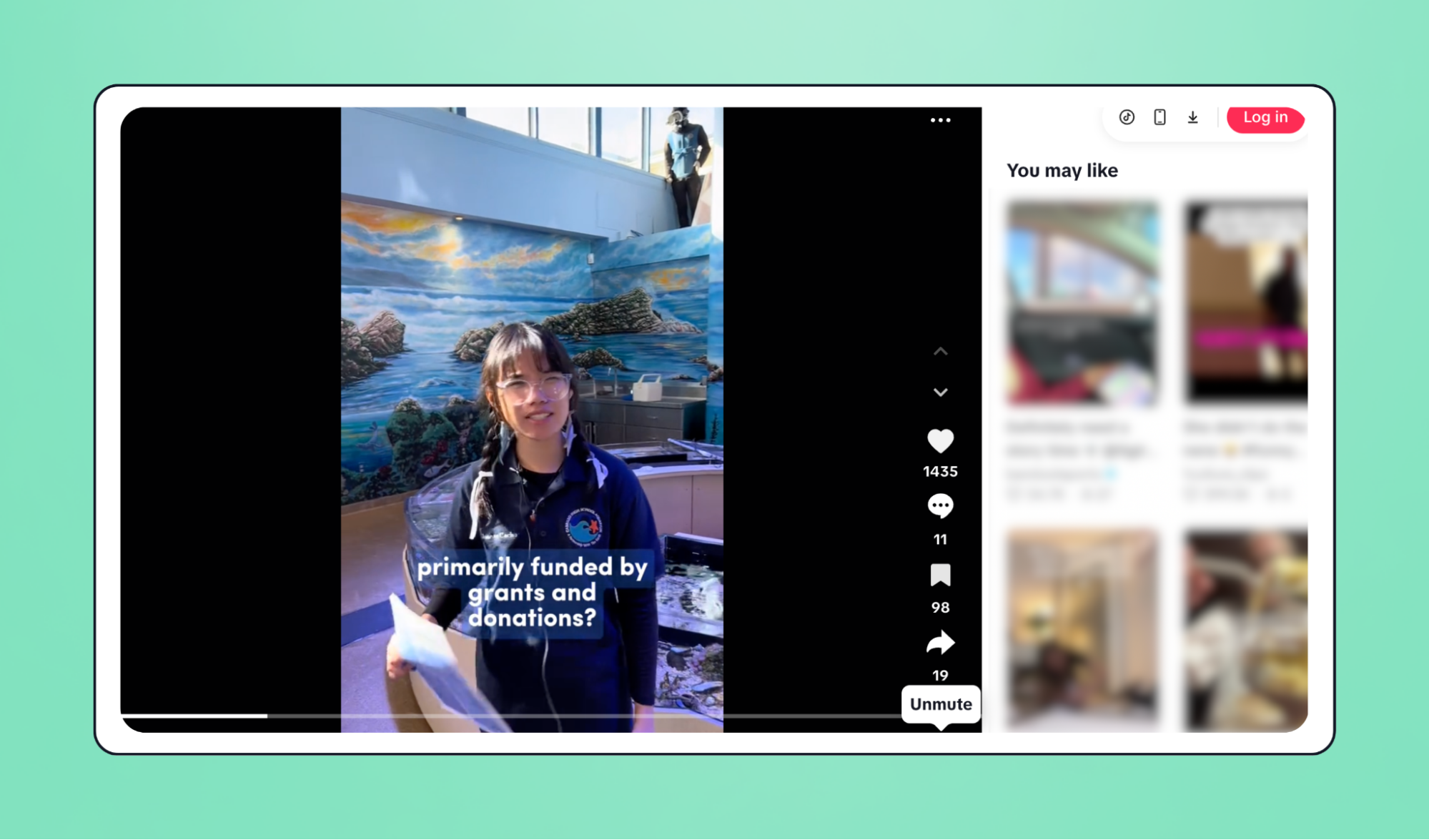
⭐ What donors loved: An aquarium, a fish microphone, and a playful vibe. What's not to love?
4. Best Friends Animal Society: Tapping into compassion to save more pets 🐾
Best Friends Animal Society melted hearts with a Giving Tuesday Facebook post featuring a cute kitten and an enticing match. Their donor-centric message that every dollar donated would be tripled to help pets find loving homes paired perfectly with their fall visuals and iconic orange heart branding.
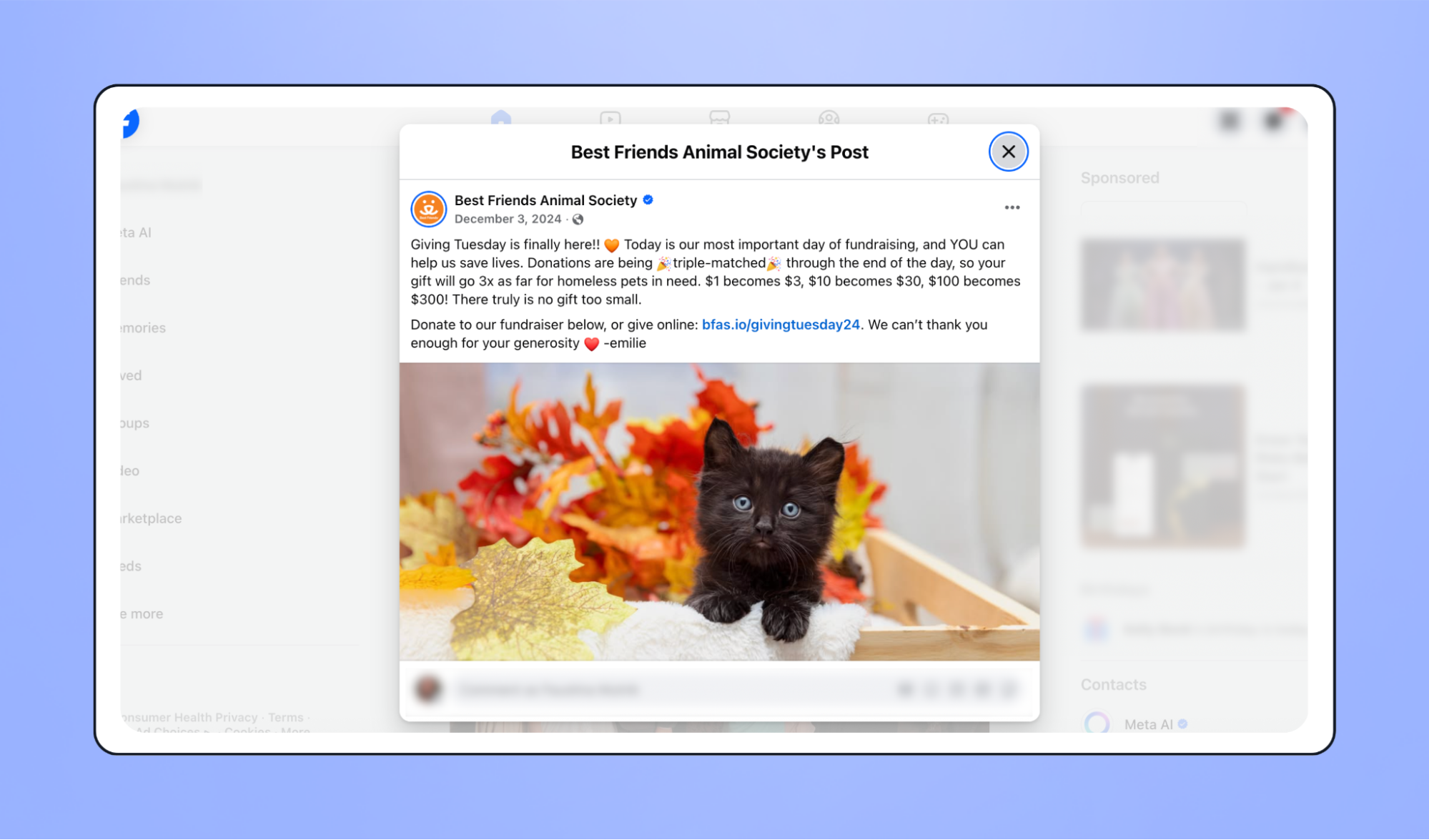
⭐ What donors loved: The combination of an adorable visual, heartfelt copy, and clear impact ("$1 becomes $3") drove home the impact of donations and made giving feel meaningful.
5. GivingTuesday x Tuesdays for Trash: Turning pop culture into purpose ♻️
The GivingTuesday team collaborated with Tuesdays for Trash to ride the wave of The Summer I Turned Pretty, tapping into a trend that resonated with younger audiences. Their clever Instagram post borrowed the show's emotional tone and aesthetic to spark excitement for Giving Tuesday.
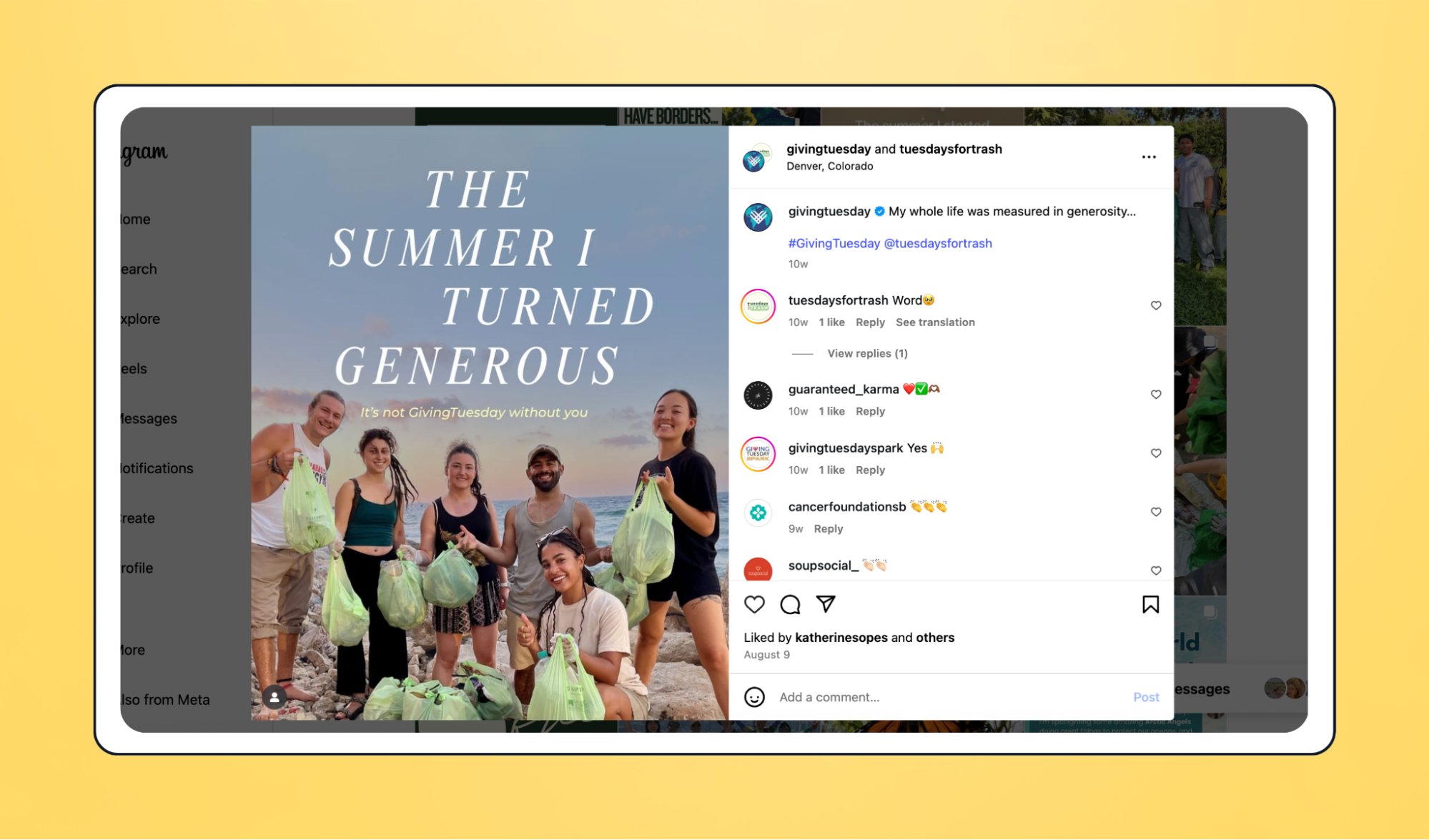
⭐ What donors loved: A fun pop culture reference made Giving Tuesday feel current, creative, and community-driven, proving that simple, timely content can inspire action.
5 of the best Giving Tuesday Canva templates
You don't need several hours or a professional graphic designer to craft compelling Giving Tuesday posts. Canva makes it easy for any nonprofit to create scroll-stopping social media graphics in minutes. Here are some of the best, fully customizable templates that can be outfitted with your brand colors and logo.
💡 Pro tip: Nonprofits can get Canva Pro for free, unlocking premium fonts, brand kits, and one-click resizing so your designs look great on every social media platform.
1. Save the date or teaser post 🗓️
Let supporters know early that you're taking part in the movement. Use this post to build anticipation, share your campaign focus, and give followers something to look forward to.
🕐 When to send: One month before Giving Tuesday
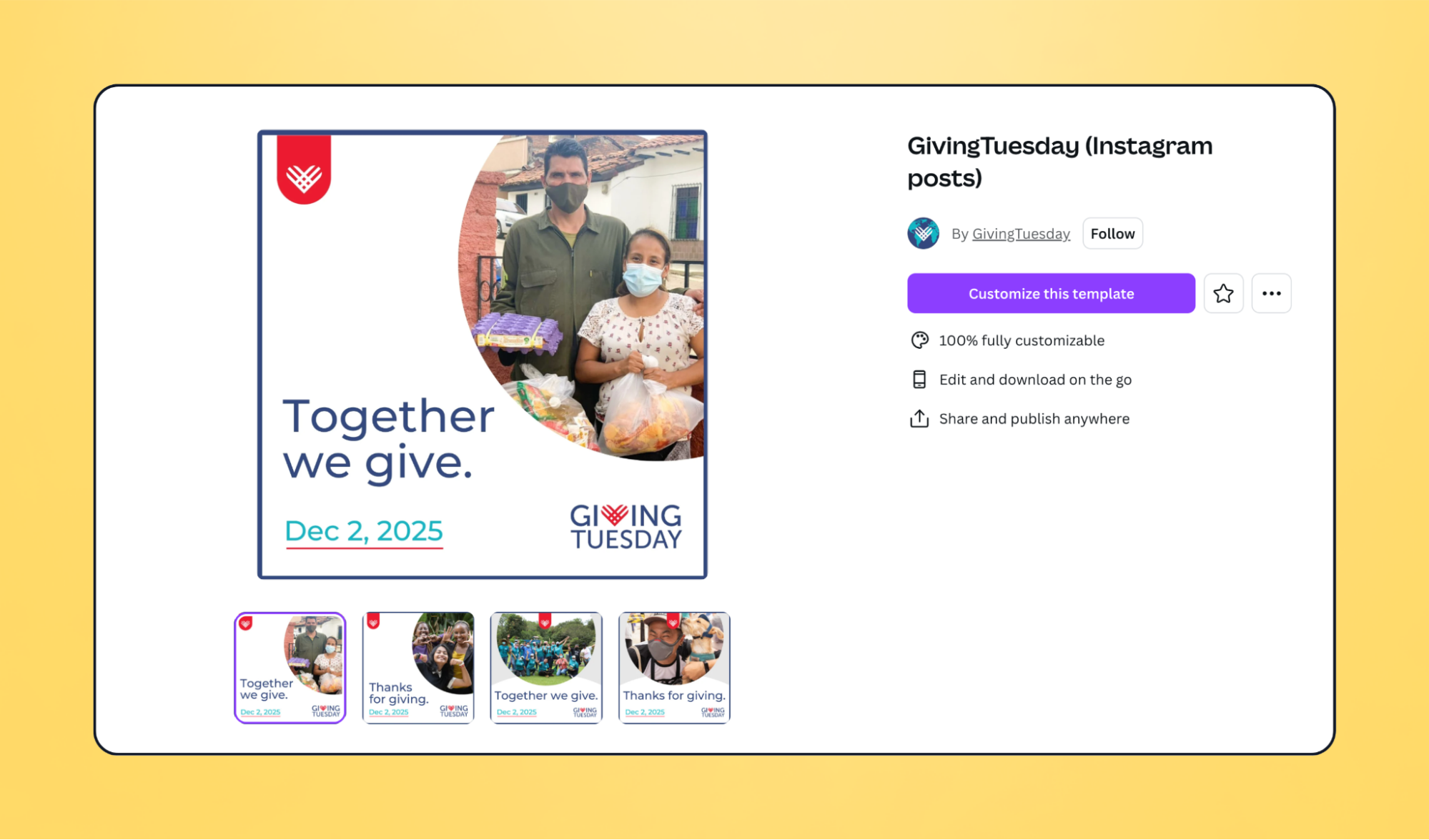
✍️ Sample caption copy: We're joining the global day of generosity on Dec 1! Together, we're aiming to [goal or impact]. Mark your calendars—let's make change happen! 💛 #GivingTuesday
2. Countdown to Giving Tuesday ⏳
Build anticipation with a countdown series that spotlights stories, impact stats, or reasons to give. Thanksgiving week is a natural opportunity to connect gratitude with generosity.
🕐 When to send: 1–2 weeks before Giving Tuesday
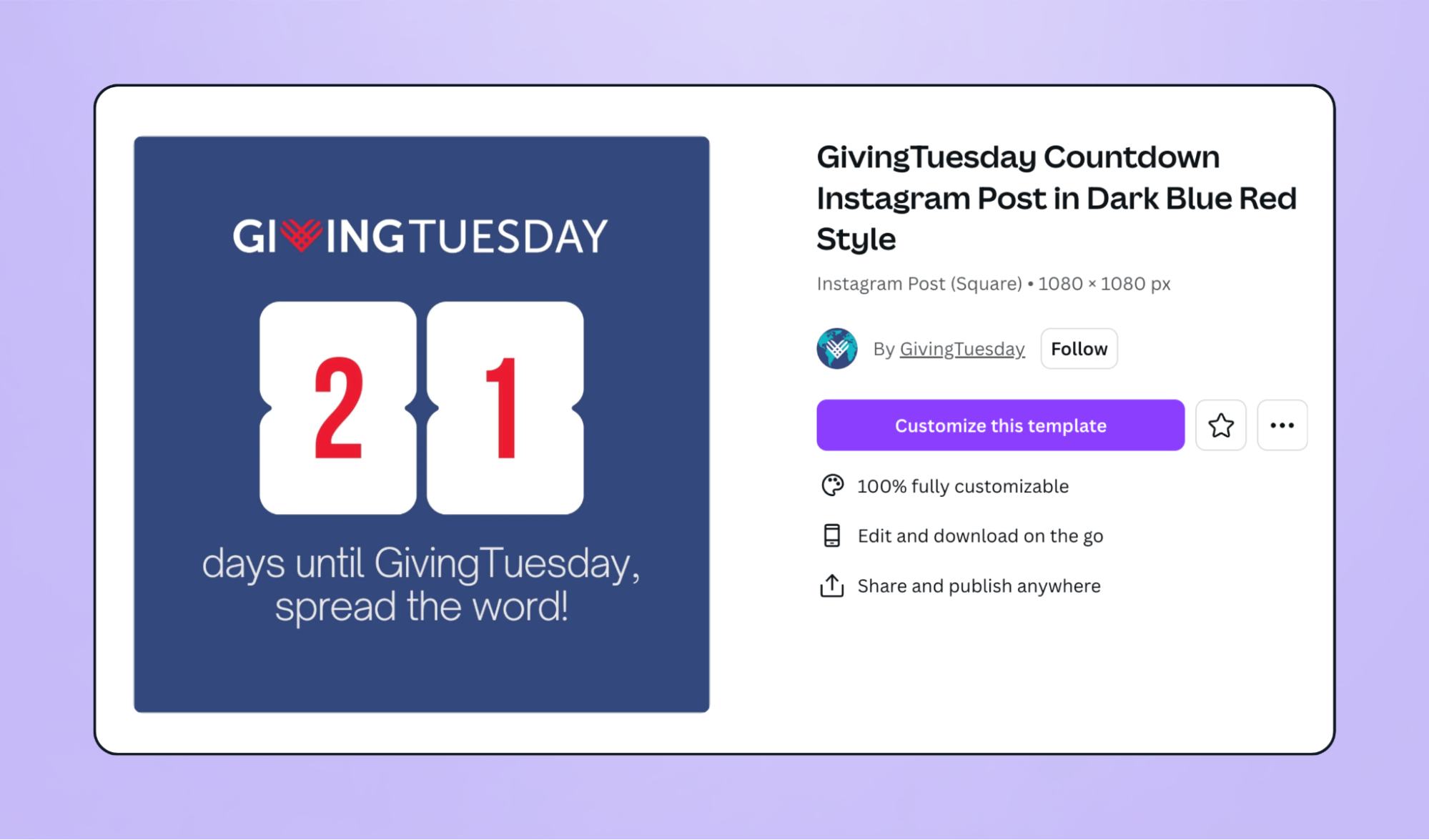
✍️ Sample caption copy: Only [X] days until #GivingTuesday! This year, your generosity helps us [impact statement]. Follow along as we count down to our biggest day of giving yet!
3. Pre-Giving Tuesday hype post 📣
Post a day-before reminder to rally your audience and preview what's to come. Include livestream times, challenges, or matching gift announcements to help supporters plan when and how to participate.
🕐 When to send: The day before Giving Tuesday
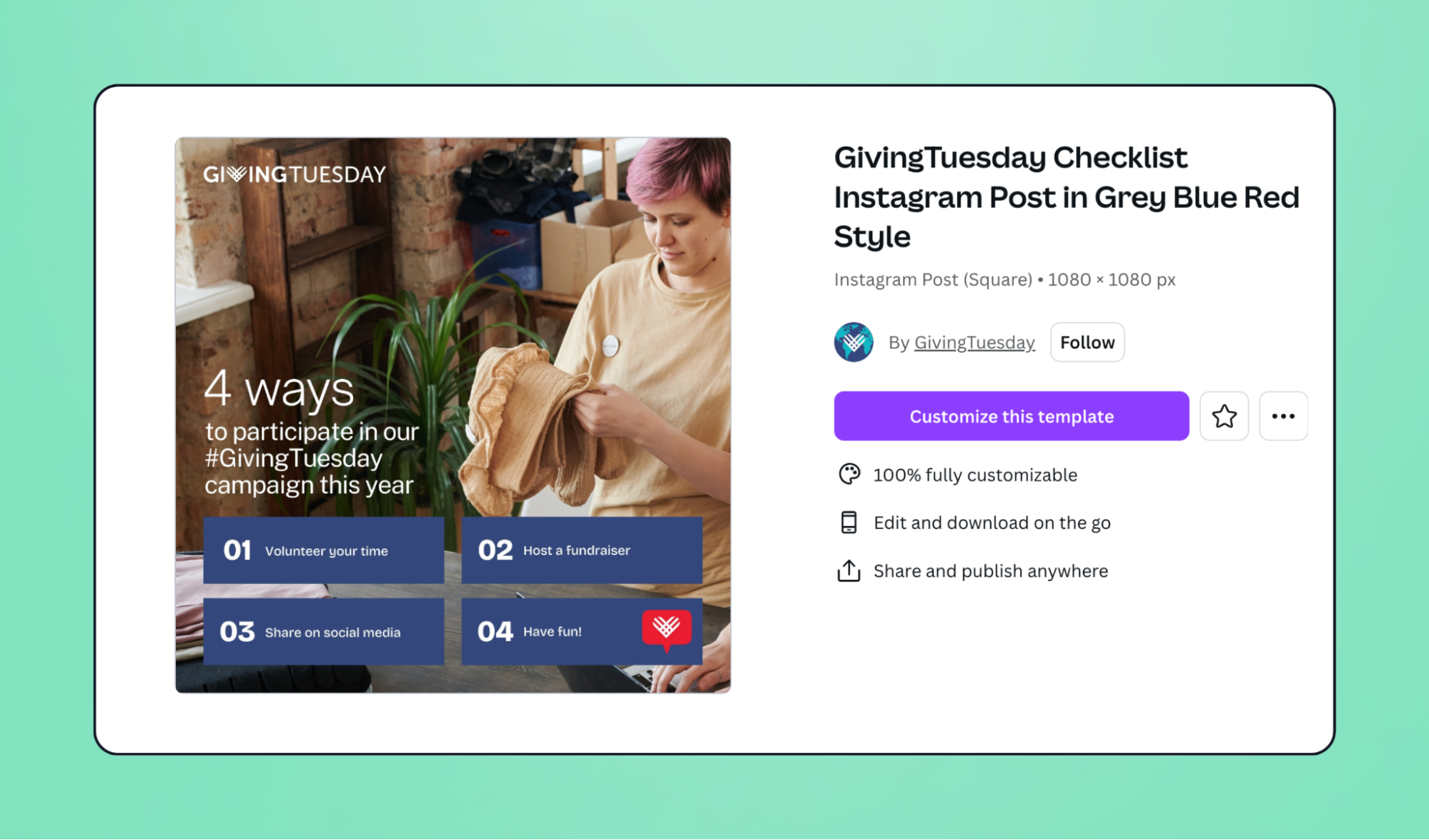
✍️ Sample caption copy: Tomorrow's the day! 🎉 Join us for a special livestream at [time] and help us reach our goal of [amount]. Every donation makes a difference—let's do this together! 💪 #GivingTuesday
4. On-the-day donation updates 💰
Keep your campaign visible and your community motivated all day long. Start with a morning kickoff post, then share real-time progress updates, livestream snippets, and last-call reminders to finish strong. Visuals like donation thermometers or match alerts work especially well.
🕐 When to send: Throughout Giving Tuesday
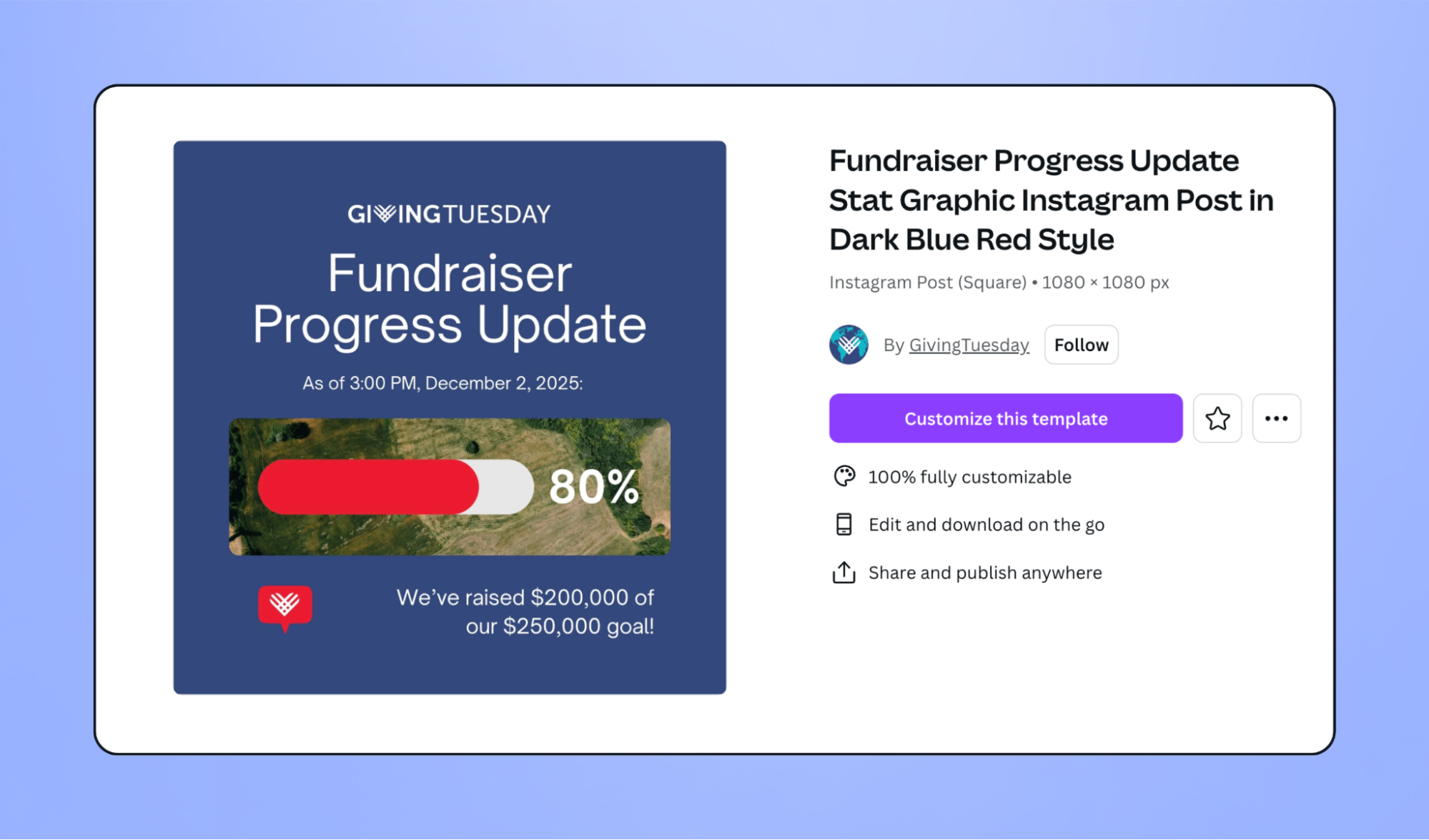
✍️ Sample caption copy: We're [X]% of the way to our goal! 🙌 Help us cross the finish line before midnight. Every dollar counts—and goes directly toward [impact statement]. Donate now: [link] #GivingTuesday
5. Thank-you & follow-up post 💛
Wrap up your campaign by celebrating supporters. A sincere thank-you graphic or short video helps deepen relationships and sustain momentum for year-end giving. You can also use this post to encourage recurring gifts or newsletter sign-ups.
🕐 When to send: The day after Giving Tuesday
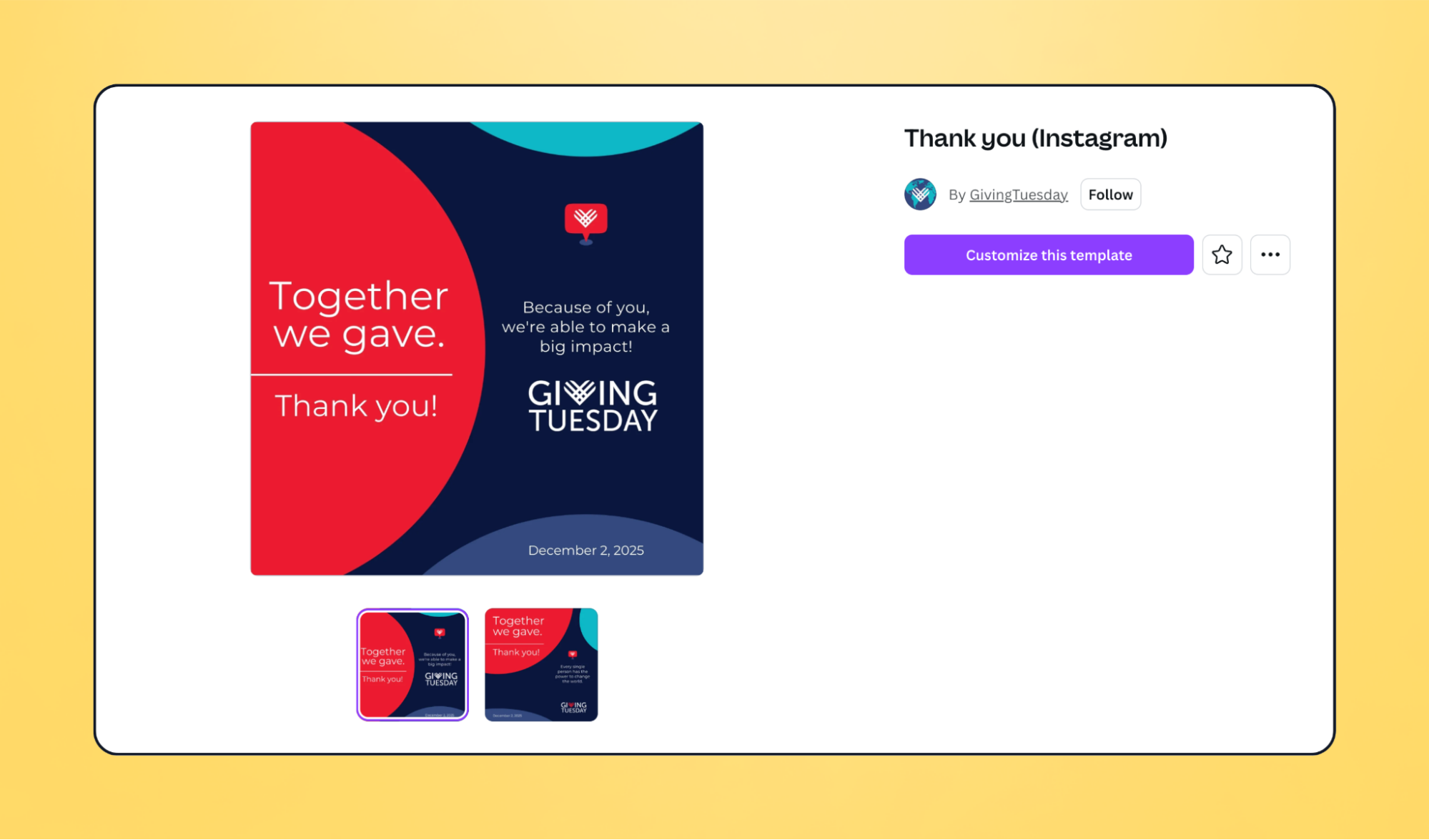
✍️ Sample caption copy: We did it—together! 💛 Thanks to your generosity, we raised [amount] to support [impact]. Your kindness keeps our mission going, not just today but all year long. #GivingTuesday
Get more attention with the right Giving Tuesday hashtags
The right hashtag can expand your reach and bring new supporters to your mission. Here are the go-to social media hashtags to use this Giving Tuesday:
- #GivingTuesday: Keep it simple with the official hashtag. Don't hit publish without it.
- #MyGivingStory: Invite supporters to share short videos or posts about why they contribute to your cause and tag your organization.
- #Unselfie: The Giving Tuesday #unselfie campaign encourages people to share photos that spotlight smiling faces and stories of support. Use a printable template to make it easy for supporters to join in.
You don't need to go overboard with hashtags. Here's how many you should use per channel:
- Instagram: 5–10 targeted hashtags (can use up to 30, but quality > quantity)
- Facebook: 2–3 hashtags maximum
- LinkedIn: 3–5 hashtags
- TikTok: Mix of trending (#GivingTuesday) + niche (#animalrescue, #nonprofit)
- X/Twitter: 1–2 hashtags maximum for readability
Giving Tuesday social media plan
Now it's time to bring your social media plan to life with a Giving Tuesday social media calendar. Here's what that might look like:
Giving Tuesday social media post ideas by platform
Each platform has its own culture. Focus your energy where your supporters already spend the most time. Here are some of our favorite Giving Tuesday social media ideas and platform-specific tips.
Giving Tuesday on Facebook
- Start a Facebook fundraiser 💰 Many nonprofits see solid results from hosting Facebook fundraisers. Set up a dedicated Giving Tuesday campaign page and easily promote it using Givebutter's Meta fundraising integration.
- Host a livestream 👋 Go live on Facebook this Giving Tuesday and display your livestream on your Givebutter fundraising page.
- Increase activity 💻 Use trending hashtags, boost popular posts, tag participants and partners, and share updates in relevant Facebook groups.
- Post strategically 📅 Post 1–2 times per day (max) in the lead up to the event and on the day to stay top-of-feed.
Did you know? Givebutter integrates with Meta Fundraising Tools, allowing donors to give directly through your Facebook posts and Instagram Stories. Learn how to set it up (requires Meta approval—apply early).
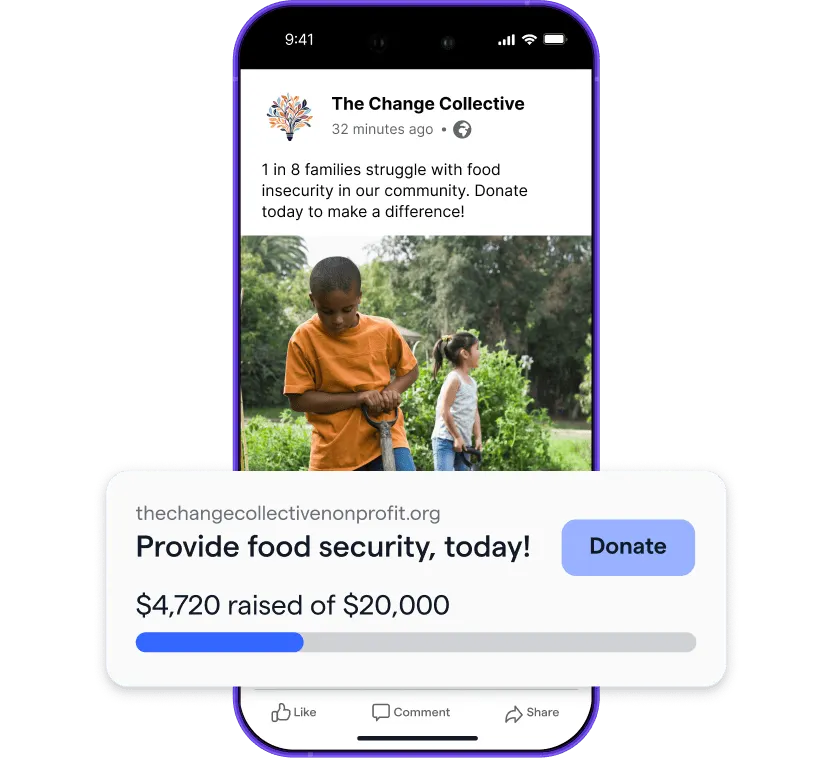
The best way to collect Facebook donations
Giving Tuesday on Instagram
- Use Stories throughout the day 🤳 Share behind-the-scenes moments on your Instagram stories to build excitement.
- Go live with a partner 📺 Invite another organization or creator to join you for real-time engagement with followers.
- Share pre-recorded content as a Reel 📽️ Prepare a quick explainer video about your campaign that inspires donors to give.
- Repost partner content 🔃 Use Instagram's repost feature to amplify the voice of other organizations and bring their content into your supporters' feeds.
🔗 Link placement: Use link stickers in Stories and your bio to drive traffic to your Giving Tuesday campaign page.
Note: Givebutter's Meta integration works with Instagram Stories—not Reels, static posts, or Lives.
Giving Tuesday on X (Twitter)
- Share frequently 🕜 X moves fast, so post more frequently than you would on other platforms.
- Be concise ✏️ Keep content short and conversational, and don't be afraid to use abbreviations. Informal is acceptable on X.
- Start a thread 🧵 Share your entire Giving Tuesday narrative in one place. Make your posts more dynamic by tagging partners and including links, graphics, hashtags, and photos.
- Engage with the wider community 💛 Explore the #GivingTuesday hashtag to engage thoughtfully with others' content.
🔗 Link placement: Add your campaign link to your X bio and use it as a call to action in your Giving Tuesday threads.
Giving Tuesday on LinkedIn
- Showcase your impact 📣 Share photos, videos, and updates that highlight your mission and tell followers how to get involved.
- Partner with content creators 📷 Collaborate with influential supporters or well-known community members to expand your reach.
- Appeal to companies 🏢 Encourage matching gifts with an engaging carousel post and dedicated landing page. Tag partners to amplify visibility.
🔗 Link placement: Many people find the algorithm doesn't favor link-heavy posts, so include a link to your campaign page in a comment instead.
Giving Tuesday on YouTube
- Create long- and short-form video 📹 Mix a 5–30 minute video with a few Shorts to highlight milestones, interviews, behind-the-scenes clips, and recaps of your campaign.
- Go live 👋 Host a short livestream to share updates and thank supporters. Schedule it in advance so your subscribers can get a notification when you go live.
- Enhance your fundraising page 🎉 Use Givebutter's YouTube integration to add Giving Tuesday fundraisers to videos, embed your videos on campaign pages, and connect with supporters in real time.
🔗 Link placement: Include your campaign page link in your video descriptions and pinned comments.
Giving Tuesday on TikTok
- Share short-form content 🔗 Filmed something for YouTube? Don't forget you can upload the same video to TikTok—saving you from creating something entirely new.
- Join trends 📣 Participate in a viral challenge or trend to help your campaign reach even more potential donors.
- Engage with your community ☺️ Like and reply to comments on your videos to show appreciation and expand your audience.
- Stream live ✨ If your biggest audience is on TikTok, make it your main livestreaming platform.
🔗 Link placement: Add your campaign page to your bio link so supporters always have an easy way to donate.
Make Givebutter your Giving Tuesday hub
Social media can do more than build awareness—it can inspire action, strengthen supporter relationships, and drive more donations when backed by the right strategy. Givebutter gives you everything you need to plan, launch, and grow your Giving Tuesday campaign in one place, from donation forms and livestreams to peer-to-peer fundraising and built-in social sharing.
Every year, Givebutter celebrates Giving Tuesday with special opportunities to help nonprofits raise even more. Visit our Giving Tuesday hub for the latest campaign updates, free resources, and participation details.

Sign up for your free Givebutter account today and build your most impactful Giving Tuesday campaign yet.
FAQs about Giving Tuesday media
Have a burning question about Giving Tuesday posts? Here are the answers you're looking for.
What should nonprofits post on Giving Tuesday?
A mix: mission-focused content, donor recognition, peer-to-peer asks, real-time donation milestones, and a clear donate link. Rotate content types to keep feeds engaging throughout the day.
What are examples of Giving Tuesday social media posts?
Strong examples include impact stories, matching gift countdowns, volunteer spotlights, and donation milestone celebrations.
Which social media platform is best for Giving Tuesday?
Facebook and Instagram drive the most nonprofit donations on Giving Tuesday, especially with Meta's fundraising tools. LinkedIn works well for corporate donors and peer-to-peer campaigns. TikTok and YouTube are strong for storytelling and reach.
How many times should you post on Giving Tuesday?
Post 3–5 times across platforms on the day: a morning launch, a midday update, an afternoon milestone, an evening push, and a final thank-you. Plan your calendar in advance using our free template.
What hashtags should I use for Giving Tuesday?
#GivingTuesday is the universal tag. Add mission-specific tags (#animalrescue, #education) and location tags. Keep total hashtags to 3–5 on most platforms; Instagram allows up to 30, but quality beats quantity.
When should you start promoting Giving Tuesday on social media?
Start 4–6 weeks before Giving Tuesday (early-to-mid October) with awareness content, ramp up the week before with urgency messaging, and post 3–5 times on the day itself.
Can I collect donations directly on social media?
Yes. With Givebutter's Meta integration, donors can give through Facebook posts and Instagram Stories without leaving the platform. Requires Meta Fundraising Tools approval (2–3 weeks); apply early.
Where can I get free Giving Tuesday graphics and templates?
Grab our free Giving Tuesday social media kit, then layer in official Giving Tuesday logos/brand assets and the Canva Giving Tuesday template hub. Set brand colors and fonts in Canva first so every post matches your look.
What makes a good Giving Tuesday social media post?
Keep it human, branded, and single-minded: one story, one stat, one CTA. Use #GivingTuesday, tag partners, and pin your primary appeal. Aim for 15–45 seconds of video or a 1080×1080 image with large, legible text.
Do I need a Giving Tuesday flyer?
Only if you're doing in-person outreach. For digital-only campaigns, a shareable square graphic or Reel will have better engagement than a PDF.
If you do make a flyer, be sure to include a QR code linking to your donation page, a one-line impact statement, and your short URL.
Should I run Giving Tuesday ads?
Giving Tuesday ads are a nice-to-have, not a must-have. If you do advertise, retarget warm audiences with 1–2 ad variations and track cost per donation. If it's higher than your average gift, pause.
Should I livestream on Giving Tuesday?
Yes! Short, authentic lives (5–10 minutes) help your audience feel closer to the action. Focus on key moments like kickoff, midpoint, or finale, and use a 3-point outline (why today matters → current progress → how to give). Save and repurpose the replay as a Reel or Short.
Are Giving Tuesday memes, emojis, or slogans effective?
Definitely! A fun, timely meme or punchy slogan can boost reach. Keep it on-brand and tied to a clear CTA. Use 2–4 relevant hashtags (always #GivingTuesday), and skip stuffing a dozen variants in one post.
Share this article


Subscribe
150K+ changemakers already subscribed






.svg)
.svg)


%201.webp)